Process maps and service blueprints make complex work easier to understand, but they answer different questions. A process map shows how work flows through a process, while a service blueprint connects the customer journey with the frontstage and backstage activities that deliver it. A service blueprint vs process map comparison helps teams choose the right view, identify gaps, and improve both operations and service experiences. This guide compares their purposes, components, similarities, and use cases, then explains how to turn a process map into a service blueprint.
What Is a Process Map?
A process map is a visual diagram that shows how a task or workflow is carried out from start to finish. It breaks down each step so you can see what’s happening, who’s doing it, and what needs to happen next.
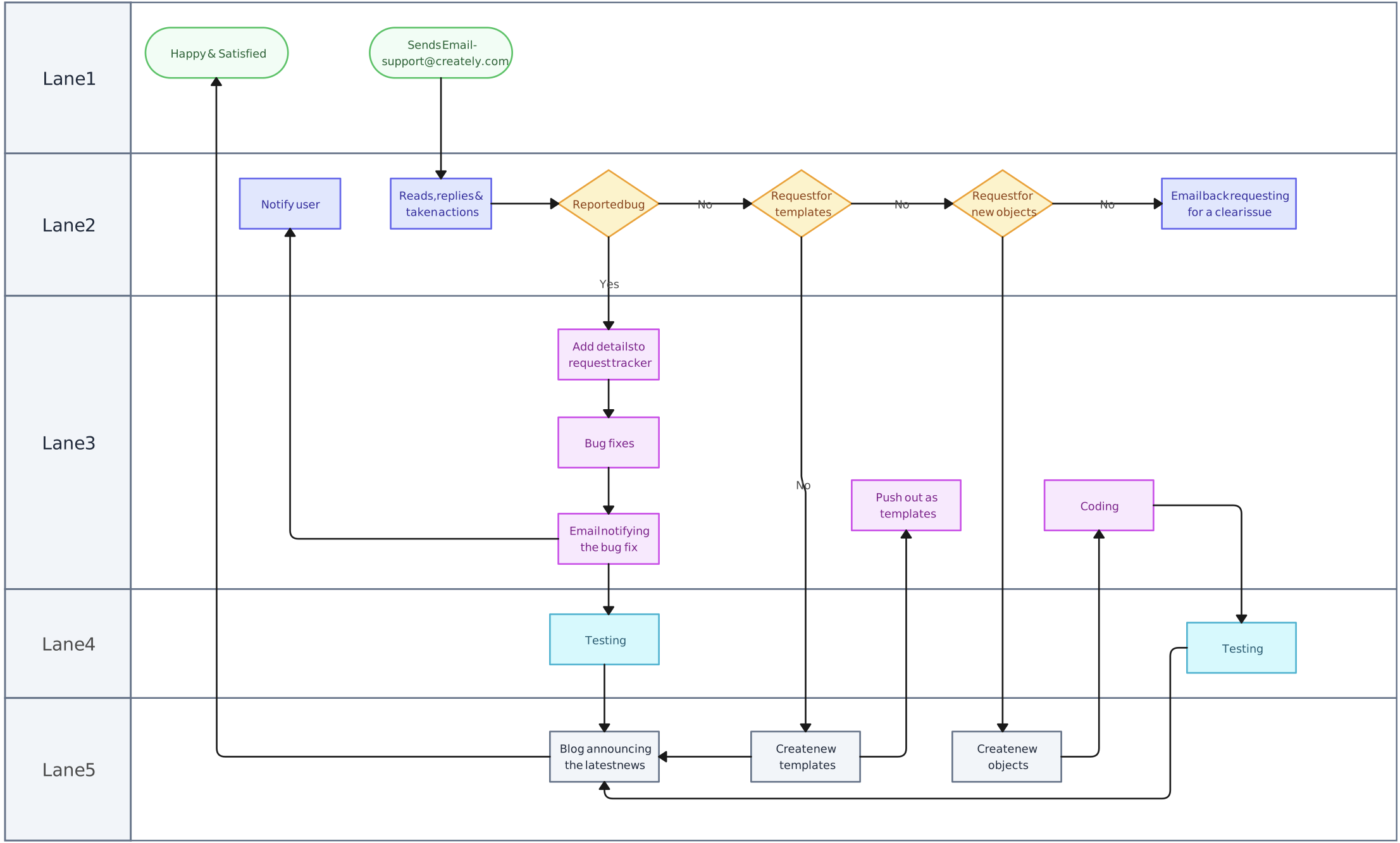

Elements of a process map
A typical process map includes:
- Inputs and outputs – What goes into the process and what comes out at the end
- Activities or tasks – The specific steps involved
- Decision points – Where choices or branching paths occur
- Flowlines – Arrows that show the sequence and connections between steps
Process maps are used to:
- Understand how work gets done
- Spot bottlenecks or confusion points
- Improve efficiency and quality
- Train new team members
- Support methods like Six Sigma, Lean, or quality improvement
They’re commonly used in areas like manufacturing, healthcare, finance, and customer service—basically, anywhere there’s a process to improve.
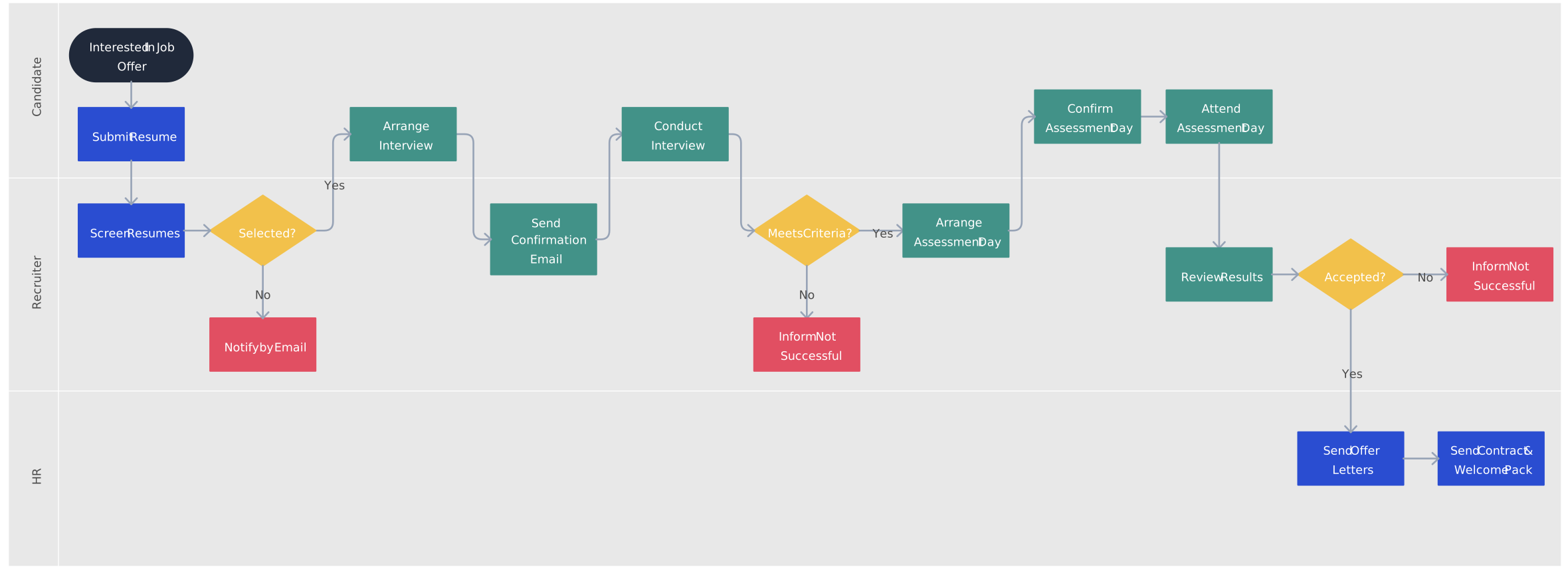
What Is a Service Blueprint?
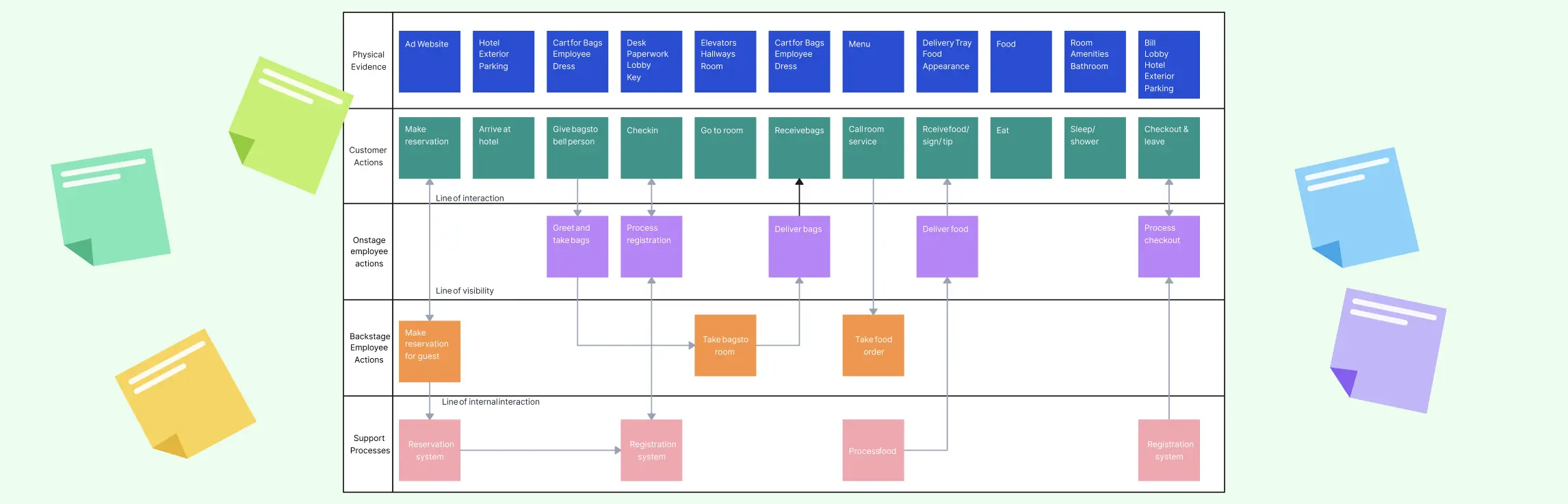
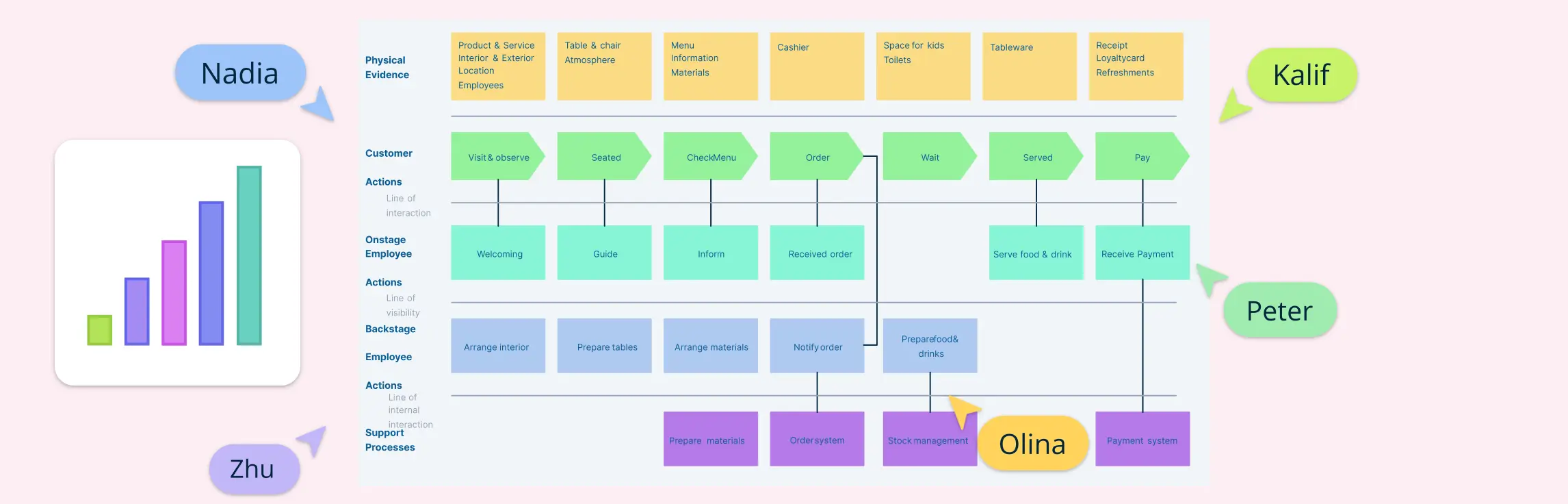
A service blueprint is a visual diagram that maps out how a service is delivered—showing both the customer’s experience and everything happening behind the scenes. It helps teams understand how different parts of the service work together and where improvements can be made.
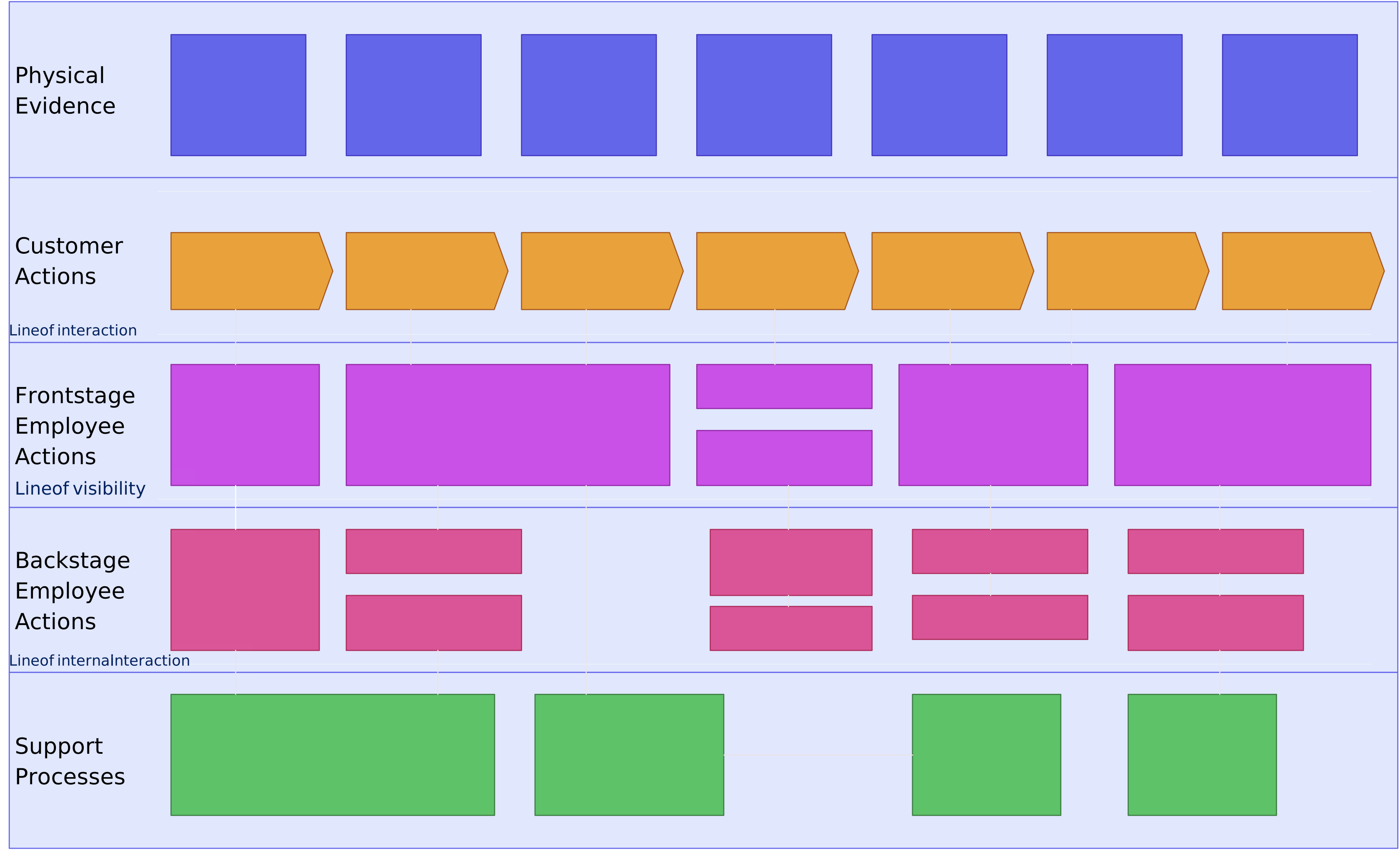
Elements of a service blueprint
A typical service blueprint includes:
- Customer actions – What the customer does during the service
- Frontstage actions – Visible employee activities the customer interacts with
- Backstage actions – Internal tasks and support work the customer doesn’t see
- Support processes – Systems, departments, or tools that keep the service running
- Physical evidence – Anything the customer interacts with, like receipts or interfaces
- Lines of separation – Including the line of interaction, line of visibility, and line of internal interaction to distinguish layers of the service
Service blueprints are often used in:
- Service design and customer experience projects
- Industries like hospitality, healthcare, retail, and UX
- Situations where multiple teams or touchpoints are involved
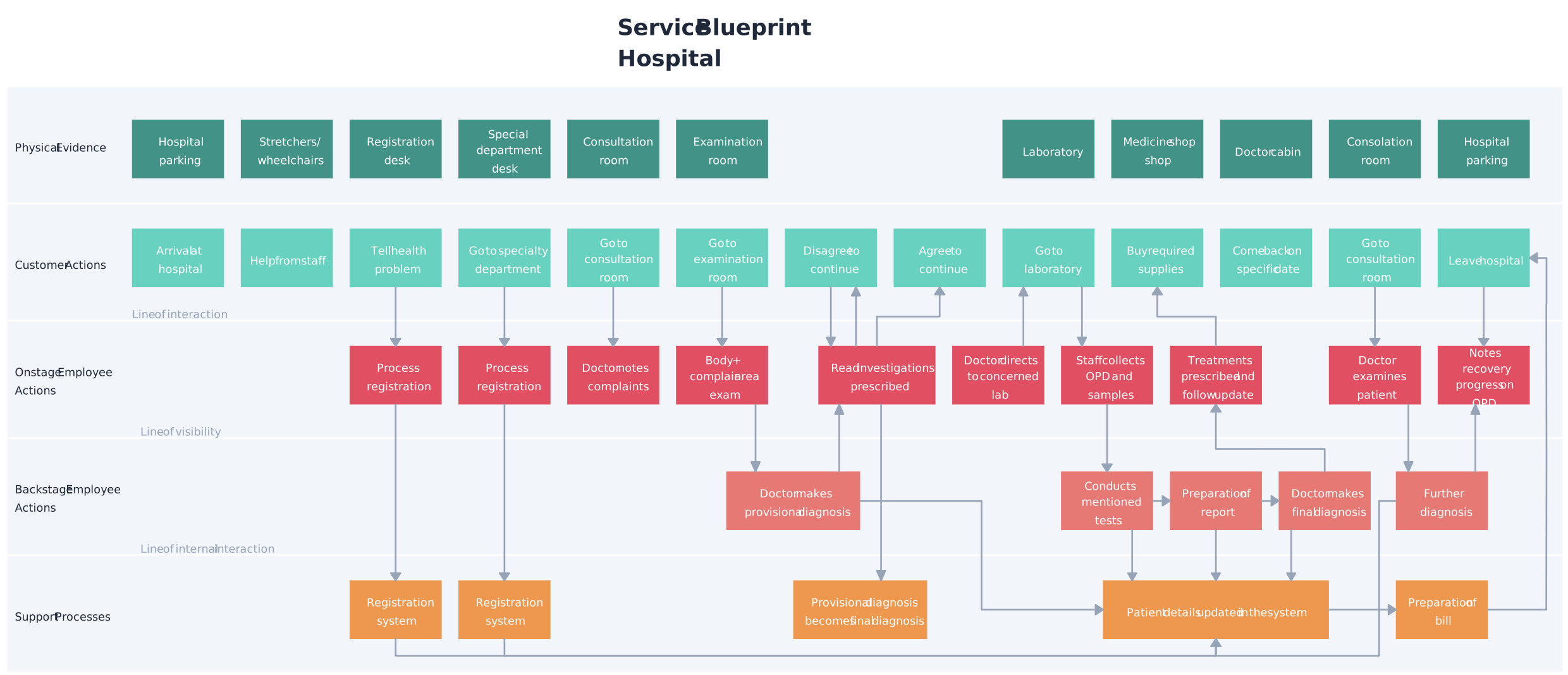
Service Blueprint vs Process Map: Key Differences
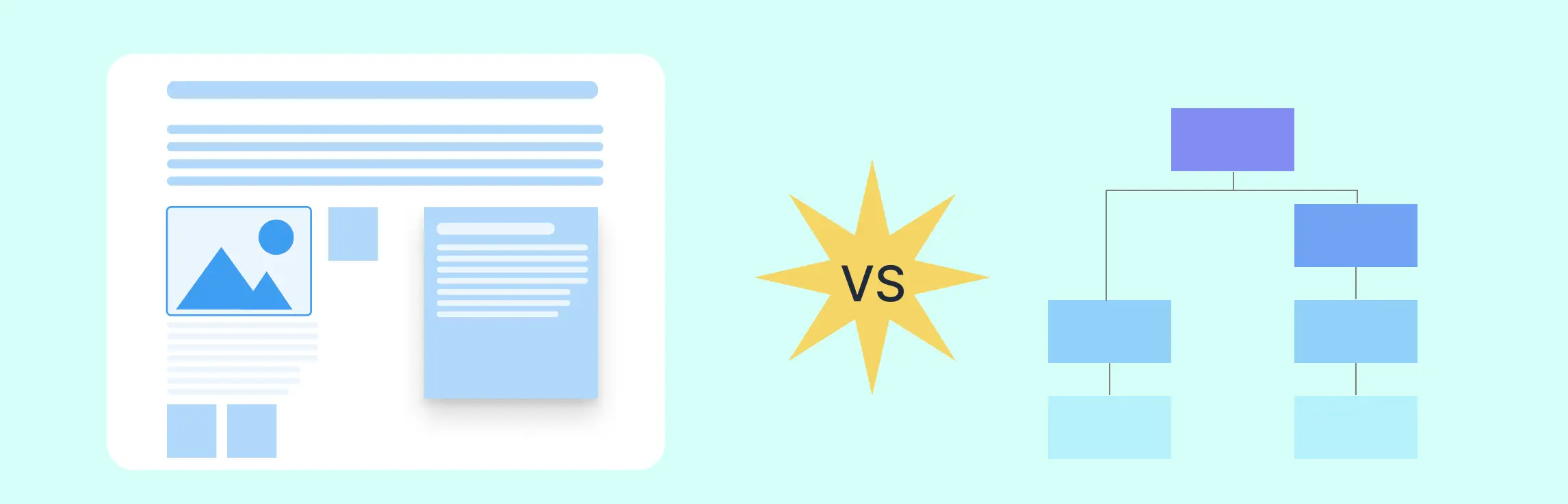
While both service blueprints and process maps help visualize how work gets done, they approach it from very different angles.
A process map is all about internal efficiency—who does what, in what order, and how things flow.
A service blueprint, on the other hand, focuses on the full customer journey, including what’s happening behind the scenes to support it.
| Aspect | Process Map | Service Blueprint |
| Focus | Highlights internal steps of a workflow or process | Covers the entire service experience from the customer’s point of view |
| Perspective | Looks at tasks, roles, and systems involved in completing a process | Emphasizes both the customer journey and the supporting internal processes |
| Visibility | Primarily shows operational steps and may not distinguish what customers can and cannot see | Includes both visible (frontstage) and invisible (backstage) interactions |
| Users | Used by process owners, analysts, operations teams, and people involved in the work | Used by service designers, UX teams, and customer experience professionals |
| Components | Includes tasks, decisions, inputs/outputs, and flowlines | Includes customer actions, employee actions, support systems, physical evidence, and multiple visibility layers |
| Complexity | Can be linear and straightforward, especially for routine or technical tasks | Typically more complex with multiple layers and lines separating actions and roles |
| Tool for | Improving efficiency, standardizing processes, removing redundancies | Enhancing service delivery, designing better customer experiences, and aligning teams |
Similarities Between Service Blueprint and Process Map
Even though service blueprints and process maps focus on different things, they actually have a lot in common.
- Both are visual tools that help teams understand how work gets done.
- They’re used to make workflows clearer and improve how things run.
- Both can bring in multiple teams to collaborate and spot problem areas.
- They’re great for finding inefficiencies, delays, or gaps in a process.
- Many teams use both together—a process map to nail down internal tasks, and a service blueprint to connect those tasks to the customer experience.
Both tools can also support living documentation when teams connect owners, notes, links, and supporting resources to the visual, gather feedback through comments and real-time collaboration, and update it as the service or process changes. A process map clarifies internal execution; a service blueprint adds the customer-facing and backstage context needed to review cross-team handoffs.
When to Use Each Tool
Use a process map when you want to:
- Optimize internal workflows and make work smoother
- Document how tasks and operations actually happen
- Improve process efficiency and reduce delays
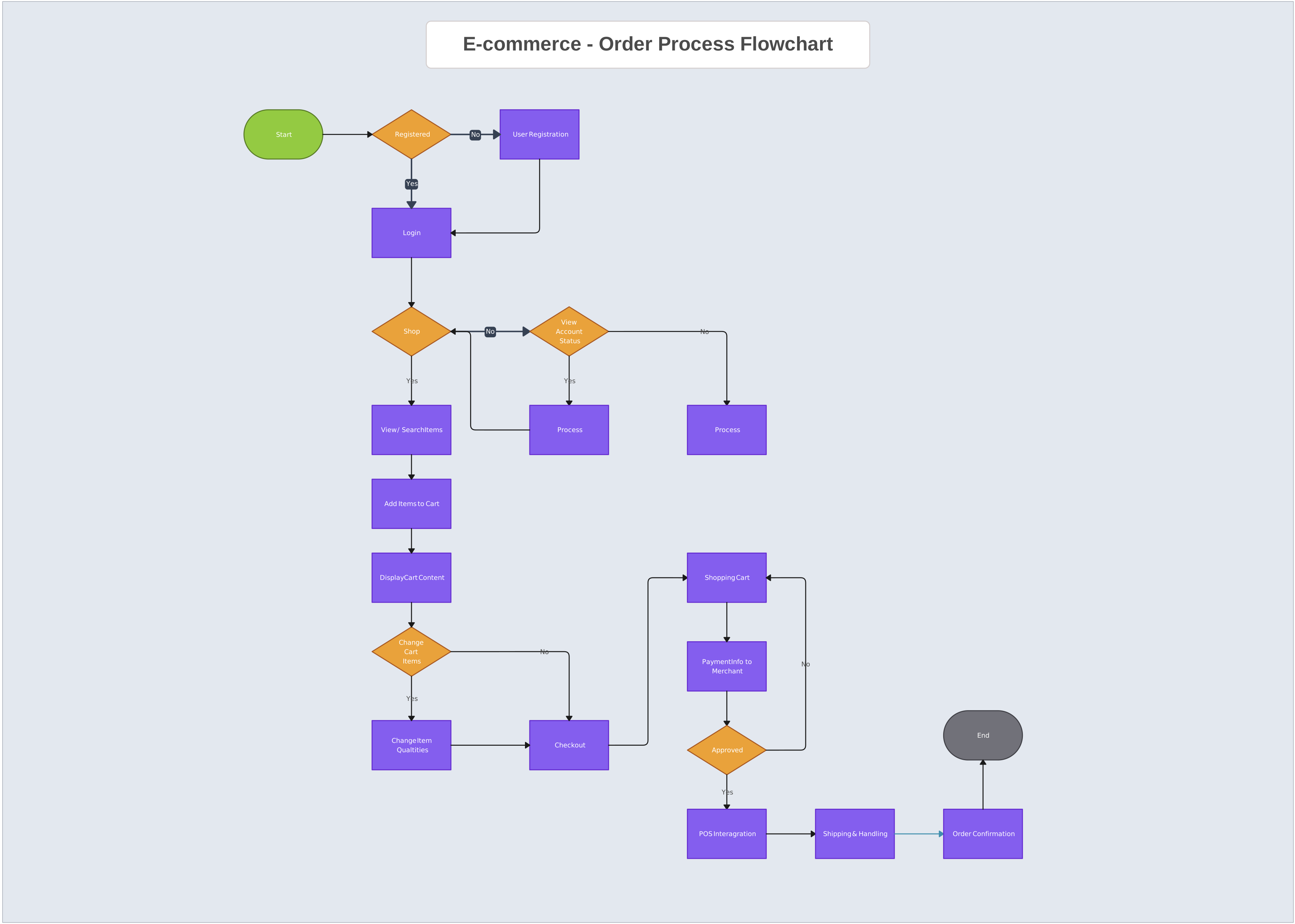
Explore process map templates →
Use a service blueprint when you want to:
- Design or improve the overall service experience
- Map out every step of the customer journey
- Identify gaps or problems in service delivery
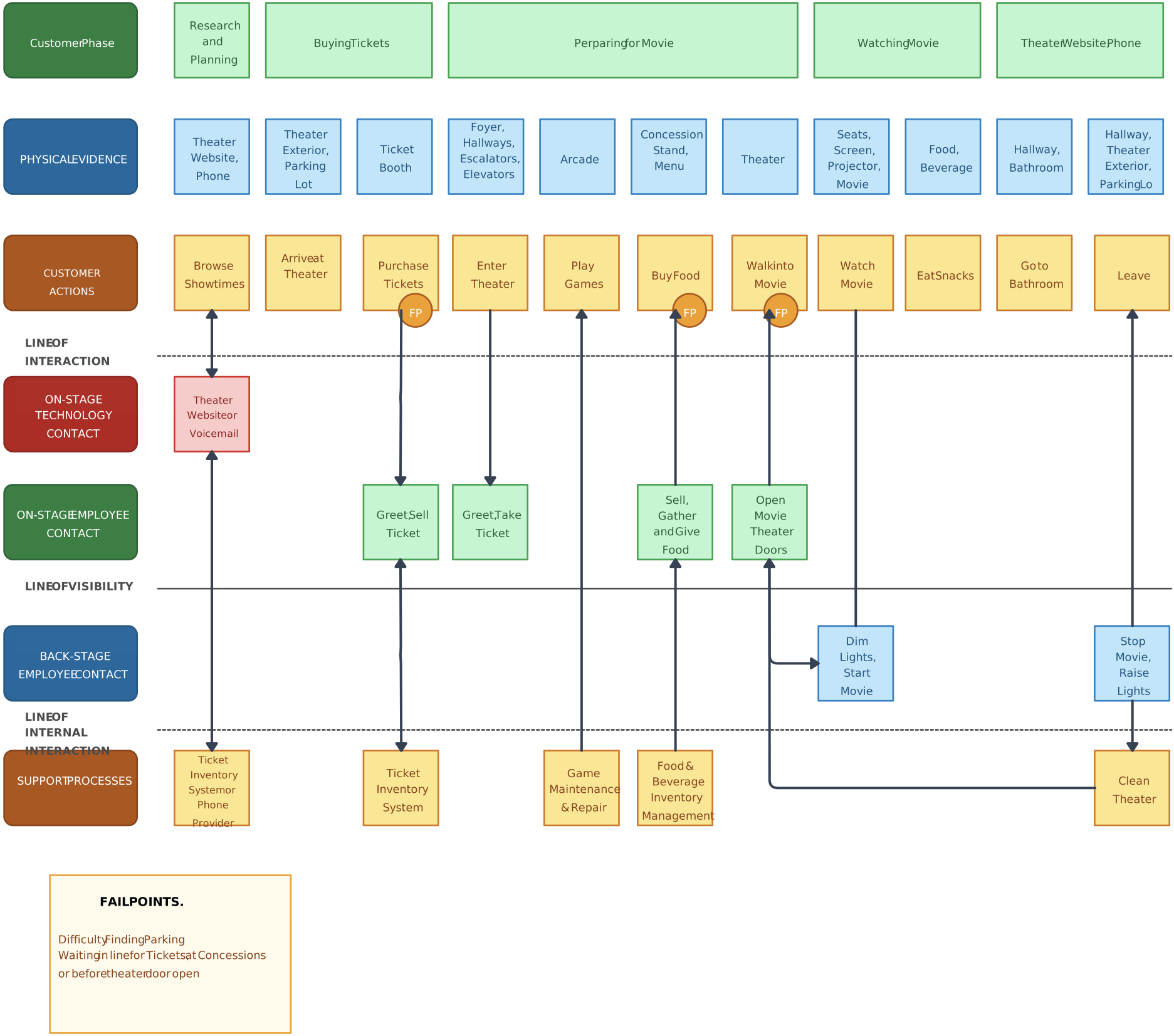
Explore service blueprint templates →
Both tools help you understand and improve work—but choosing the right one depends on whether you’re focusing inside the operation or on the customer experience.
How to Transition from a Process Map to a Service Blueprint
Step 1. Start with your process map to confirm the internal steps, decisions, roles, systems, and handoffs involved in delivering the service.
Step 2. Add customer actions to show what the customer does at each stage, along with the frontstage actions customers can see and the physical or digital evidence they encounter.
Step 3. Add lines of interaction and visibility to separate customer actions, frontstage work, backstage work, and supporting processes. Connect relevant owners, notes, links, and reference material so teams can understand the context behind each handoff.
Step 4. Review the blueprint with stakeholders using comments and real-time collaboration. Ask process owners to validate responsibilities, dependencies, exceptions, and evidence, then incorporate agreed changes and keep the blueprint current as the service evolves. Creately’s service blueprint templates provide an editable starting point for this work.
FAQs: Service Blueprint vs Process Map
Can a service blueprint replace a process map?
Do I need both a process map and a service blueprint for a new service?
What software is best for mapping both types?
Is there a simplified version of a service blueprint?
What’s the difference between service blueprinting and business process modeling?