Business process mapping often fails for one simple reason: teams either create maps that are too high-level to improve day-to-day work or too detailed to maintain as processes change. This guide explains business process mapping levels you can use to document the same workflow at the right depth for the right user. You’ll learn the 4 core levels (plus an optional Level 5 for work-instruction detail), see practical examples for each level, compare using 4 vs. 5 levels, and understand how to choose the right level for goals like alignment, improvement, training, compliance, and automation.
What Are Business Process Mapping Levels
Business process mapping levels are structured layers of detail used to visually represent and analyze different aspects of an organization’s processes. Each level serves a unique purpose, ranging from high-level overviews for strategic planning to detailed, step-by-step instructions for task execution. These process map levels help teams and leaders see workflows from various perspectives, ensuring that each part of the process is well-understood and aligned with broader goals. By using different process levels, organizations can tailor process documentation to specific needs—whether for big-picture planning, department-level coordination, or detailed operational guidance.
The Core Levels of Business Process Mapping
Business process mapping levels provide a structured way to document the same workflow at different depths, supporting effective business process management (BPM) while keeping teams aligned from strategy to execution.
Most organizations use four process map levels (from overview to detailed execution), but some adopt a fifth level when they need work-instruction detail for training, compliance, or automation. The right choice depends on your process complexity, risk, and how consistently the work must be performed. Let’s take a closer look at these business process mapping levels and when each makes sense.
Level 1: Process Overview (Strategic Level)
A Level 1 process overview map shows the end-to-end workflow at a high level so executives and senior leaders can align on what the process is, where it starts and ends, and the major stages involved—without getting into roles, exceptions, or step-by-step tasks. It supports strategic alignment in Business Process Management (BPM).
Purpose
To provide a big-picture view for strategic planning, executive alignment, and communicating how core processes support business goals—useful for executives, senior leaders, and process owners.
Scope
Shows the main phases and how they connect from start to finish. It does not include detailed tasks, decision logic, or role-level responsibilities.
When to use
- Executive briefings and strategic planning
- Explaining how core processes connect across the business
- High-level change impact discussions before detailed redesign
Example
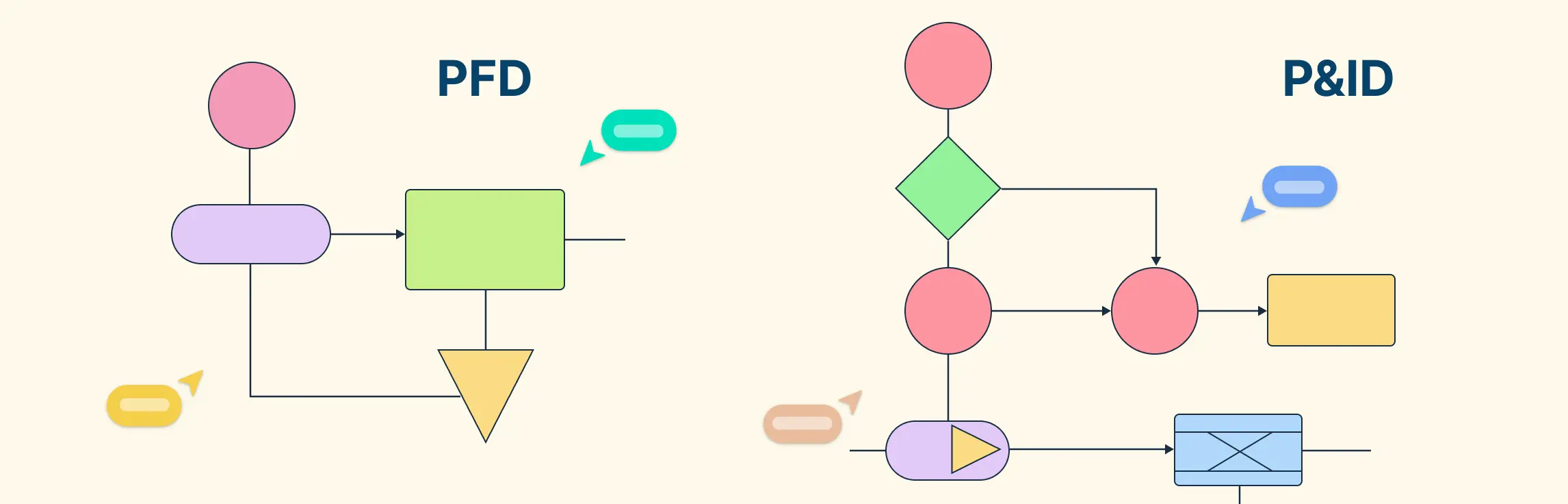
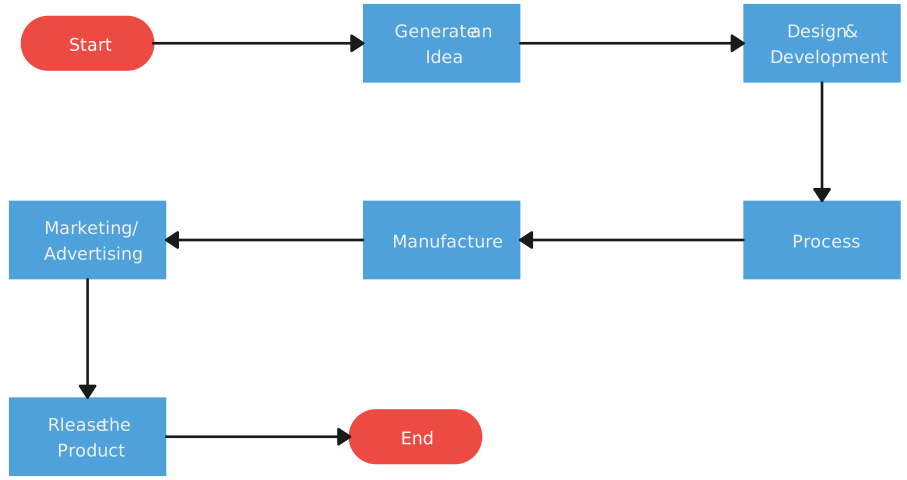
Diagrams used at this level are straightforward and uncluttered, typically taking the form of flowcharts or simple block diagrams that highlight only the major stages and their sequence.

Level 2: Process Map (Tactical Level)
A Level 2 process map (also known as a tactical map) breaks the process into major sub-processes and key handoffs between functions. It helps managers clarify ownership, dependencies, and where coordination issues or bottlenecks occur. These process map levels are especially useful for cross-functional planning in BPM.
Purpose
To show how departments interact so teams can improve handoffs, clarify ownership, and strengthen cross-functional flow—useful for department managers, functional leads, and cross-functional teams.
Scope
Includes major sub-processes, primary owners (teams/functions), and handoff points. It still avoids task-by-task execution steps.
When to use
- Defining ownership and responsibilities across teams
- Finding bottlenecks caused by handoffs or unclear roles
- Planning process improvements that involve multiple departments
Example
Common diagrams at this level include cross-functional flowcharts and SIPOC (Suppliers, Inputs, Process, Outputs, Customers) diagrams.
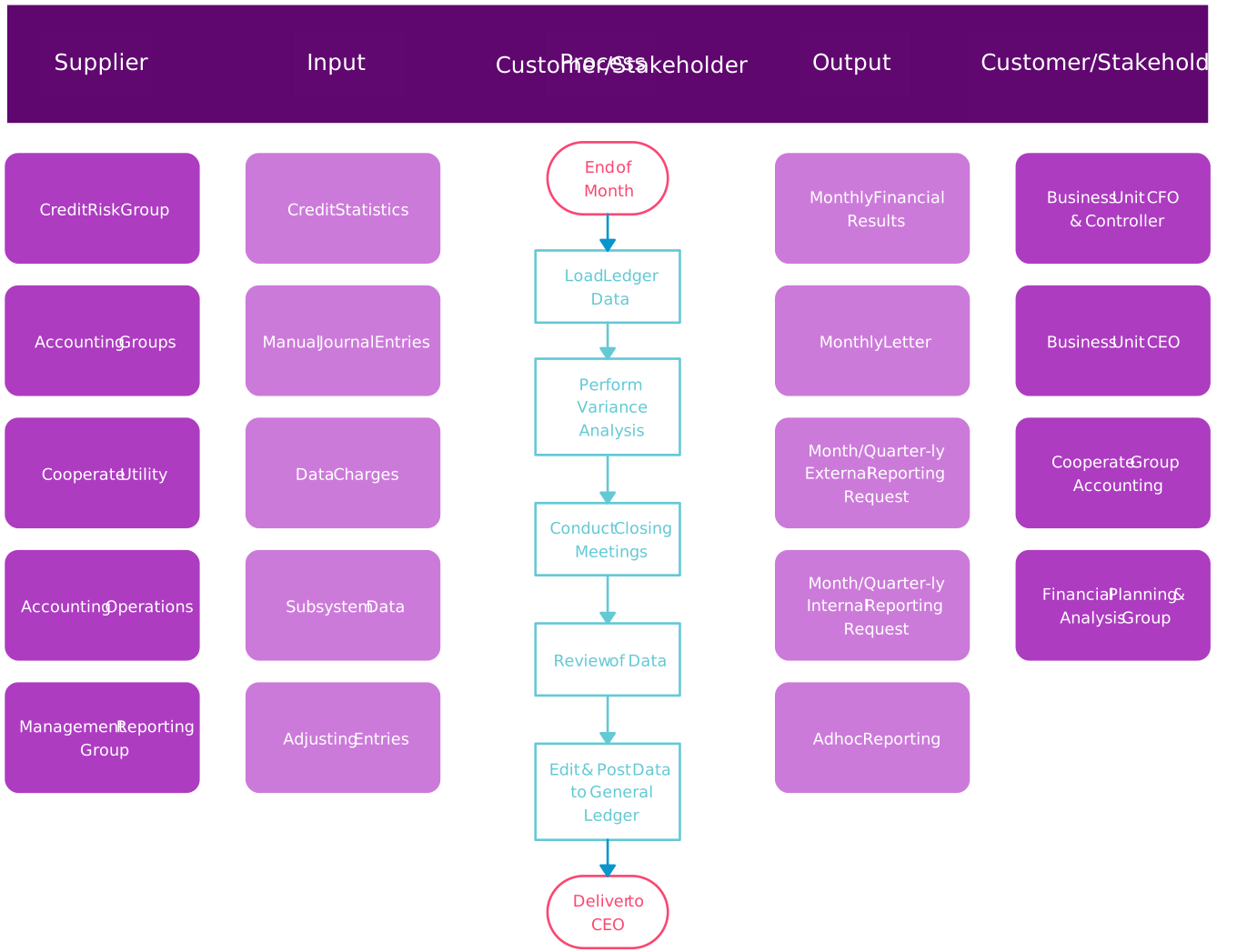
Cross-functional flowcharts break down the process by department, creating “swimlanes” that show which group is responsible for each part of the workflow. SIPOC templates add another layer by specifying who supplies inputs, what inputs are needed, the core process steps, the resulting outputs, and who the customers are. Together, these diagrams help teams visualize responsibilities, dependencies, and handoffs so improvement work is grounded in how the process actually operates.
Level 3: Workflow (Operational Level)
A Level 3 workflow map shows how work is executed day to day, including key steps, decision points, and who does what. It’s used to improve efficiency, reduce rework, and standardize performance—making it a practical choice when process levels need to drive operational improvement.
Purpose
To make day-to-day work visible and improvable by documenting the operational sequence, roles, and decisions—useful for team leads, frontline teams, and continuous improvement practitioners.
Scope
Covers the main activities, roles, decisions, and dependencies needed to run the workflow reliably. It does not go into micro-level instructions (e.g., every system click).
When to use
- Improving cycle time, reducing rework, and removing waste
- Clarifying responsibilities within a team or function
- Preparing a workflow for partial automation or tooling support
Example
Example diagrams at this level include workflow diagrams or swimlane diagrams that show roles, decision points, and the operational sequence clearly.
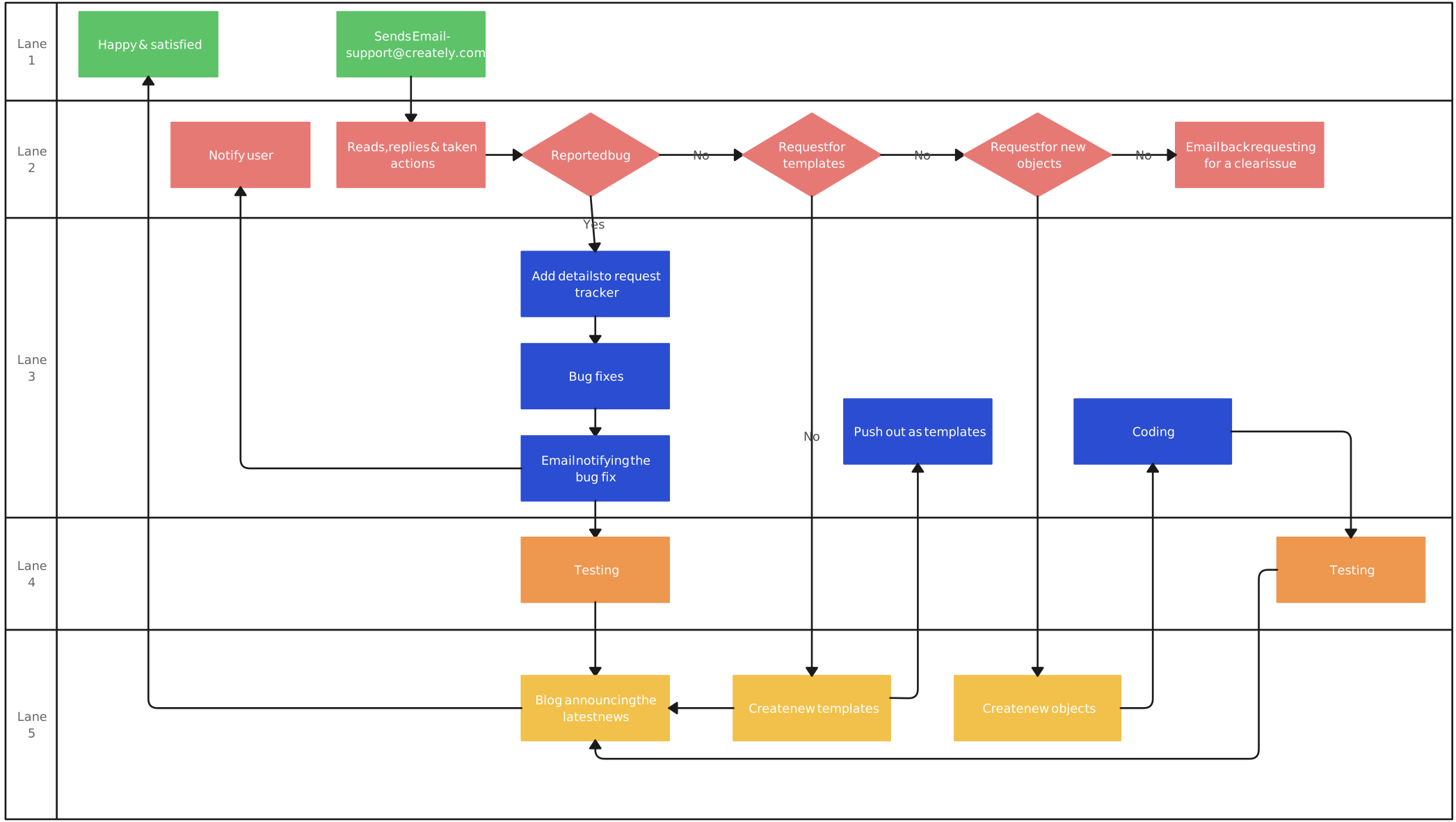
A workflow diagram provides a sequential look at tasks and decisions, while a swimlane diagram organizes these tasks by roles or departments, clearly indicating each participant’s responsibilities within the workflow. Swimlanes visually separate roles or functions within a workflow, making it easy to see who is accountable for each step and how tasks progress from one person or department to another.
Level 4: Process Detail (Execution Level)
A Level 4 process detail map provides step-by-step execution guidance so tasks are performed consistently. This is often used for SOPs, training, compliance, or high-precision work. In Business Process Management (BPM), this level helps standardize execution across teams and systems.
Purpose
To document exact execution steps, checks, and exceptions so work can be done the same way every time—useful for operations teams, trainers, QA/compliance teams, and automation/implementation teams.
Scope
Includes detailed steps, decision rules, tools/resources, inputs/outputs, and exception handling where needed. This is the most detailed level for consistent delivery.
When to use
- SOP creation, onboarding, and quality control
- Regulated or high-risk work that requires precision
- Defining detailed requirements for automation or system implementation
To learn more about SOP creation, read how to write standard operating procedures guide.
Example
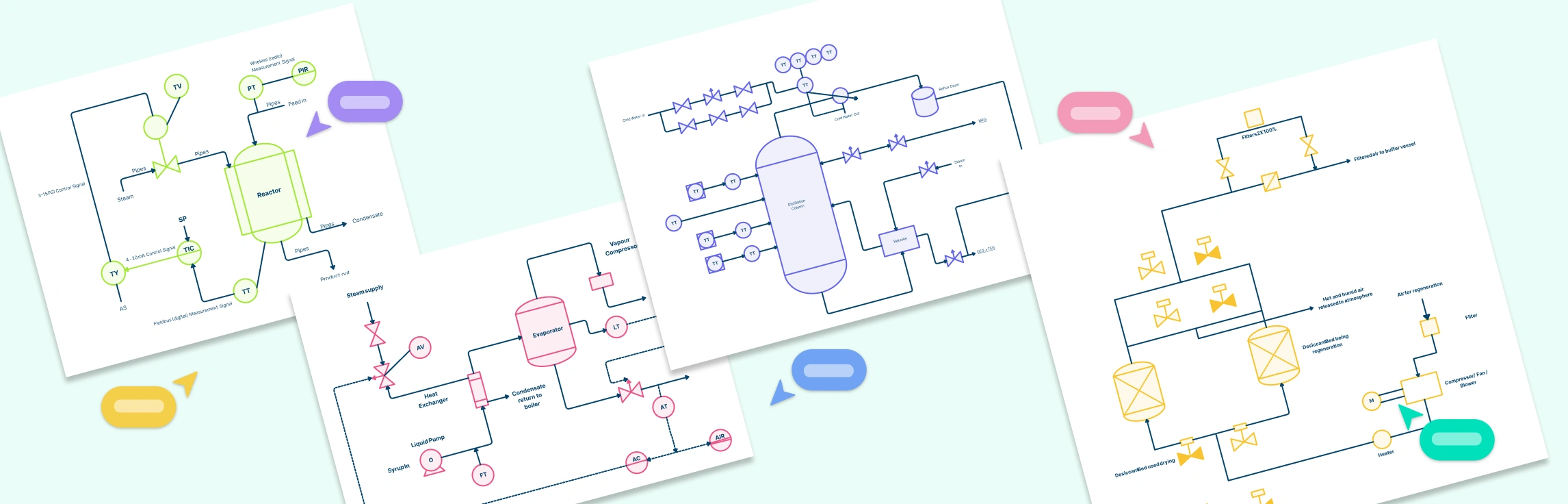
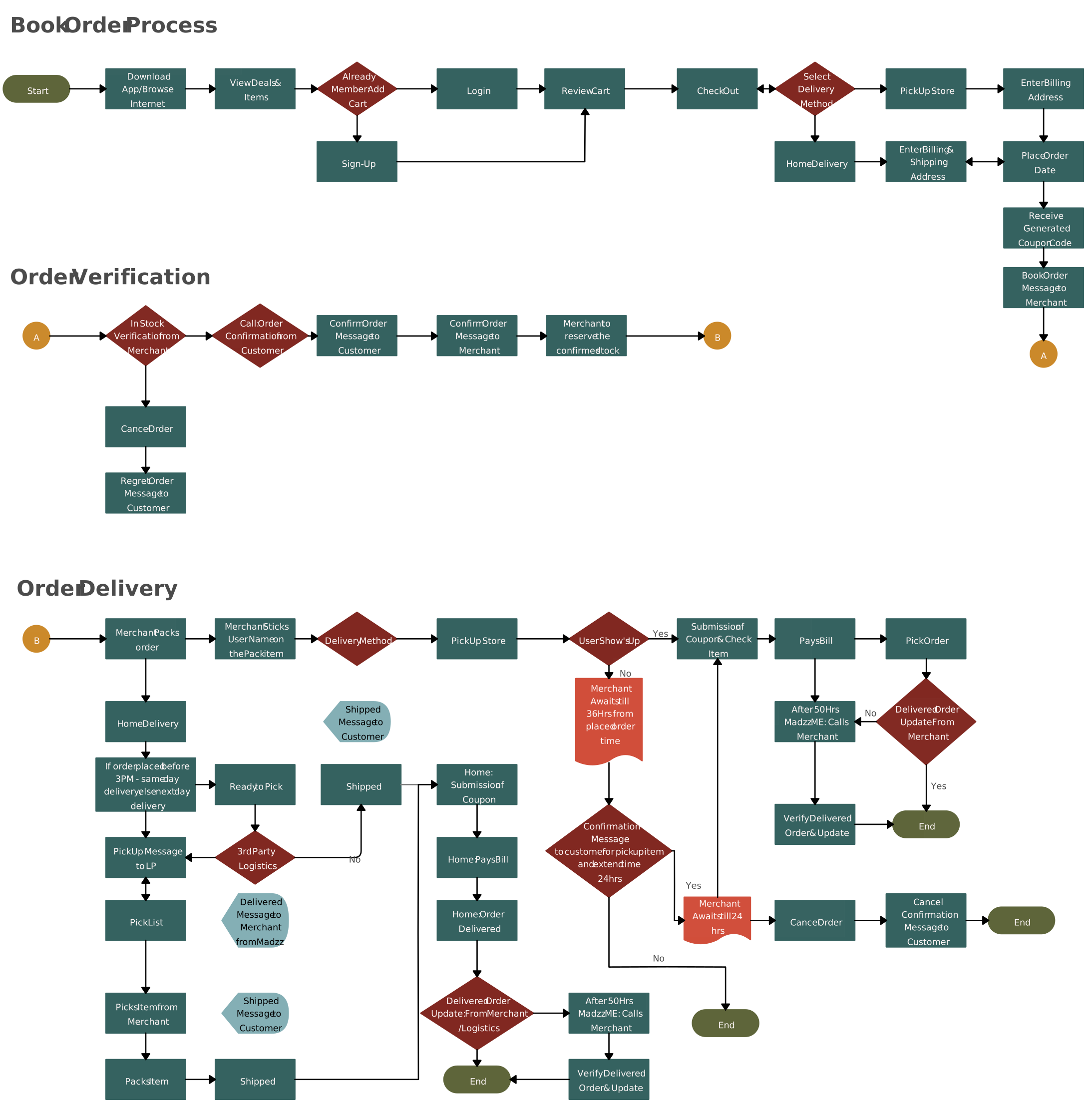
Example diagrams at this level include detailed flowcharts supported by notes, checklists, and supporting documentation to guide consistent execution.
Level 5: Work instructions (Optional “how-to” Level)
A Level 5 map adds work-instruction detail on top of Level 4, capturing exactly how a task is performed (including system steps) so execution is repeatable with minimal ambiguity. In Business Process Management (BPM), this optional process level is used when consistency, compliance, or automation handoffs require more detail than a standard process map level.
Purpose
To provide ultra-specific work instructions that reduce variation and errors—useful for frontline teams, trainers, QA/compliance teams, and automation/implementation teams working on high-volume or high-risk processes.
Scope
Includes micro-steps such as system clicks, required fields, form names, rules/thresholds, scripts, checks, and “definition of done.” It may also include exception handling and evidence requirements (what to log, attach, or verify).
When to use
- Regulated or audit-heavy workflows where evidence and precision are mandatory
- High-volume processes where small errors create outsized rework or risk
- Handing off requirements to automation/RPA or system implementation teams
- Training scenarios where new hires need exact, repeatable instructions
Example
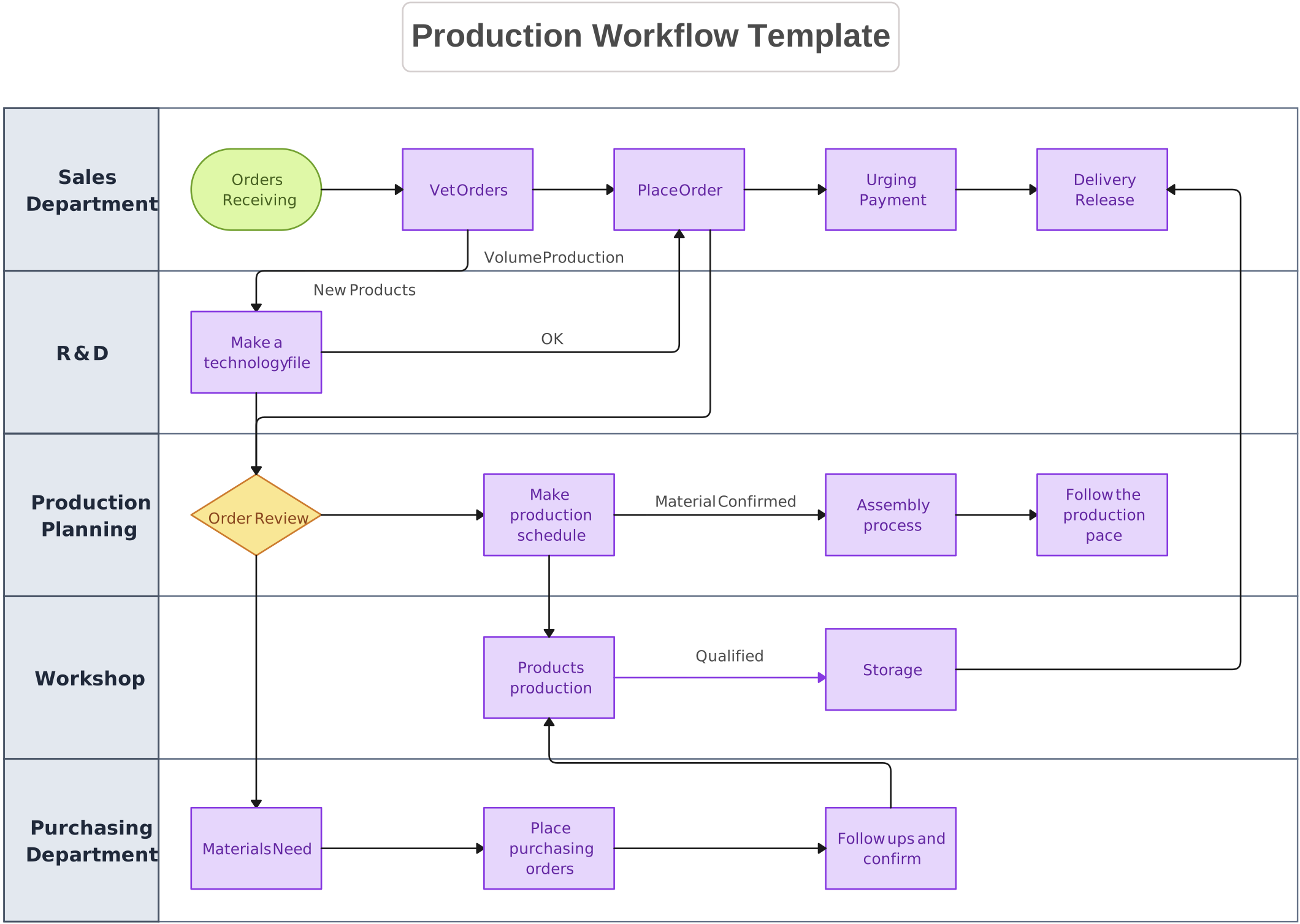
A Level 5 is like a Level 4 process detail flowchart where each step links to a short work-instruction note (screenshots, field-by-field guidance, validations, and what success/error looks like) so anyone can execute the task consistently.
Using 4 Vs 5 Process Map Levels Comparison
Using four process map levels works well for most organizations because it balances clarity with maintainability. A fifth level is an optional “work-instruction” layer that adds extra detail only when the risk of inconsistency is high (e.g., compliance, high-volume execution, or automation handoffs). Use the comparison below to decide which approach fits your process levels.
| Area | 4 Process Map Levels | 5 Process Map Levels |
| Best for | End-to-end clarity plus reliable execution guidance | Maximum repeatability and lowest ambiguity |
| What the extra level adds | N/A | Level 5 work instructions (micro-steps, system actions, checks) |
| Typical outputs | Overview → cross-functional map → workflow → process detail | Same as 4 levels, plus step-by-step work instructions/runbook detail |
| Ideal situations | Most BPM programs, process improvement, training + SOPs | Regulated work, audits, high-volume operations, automation/RPA specs |
| Maintenance effort | Lower (fewer artifacts to update) | Higher (more detail to keep current) |
| Risk of inconsistency | Moderate if Level 4 is not detailed enough for new/complex tasks | Lower because execution steps are explicit |
| Rule of thumb | Use when Level 4 is enough for consistent execution | Add only when Level 4 still leaves room for interpretation |
Importance of Levels in Process Mapping
When these business process mapping levels are applied consistently, organizations can connect strategy to execution—so leaders get a clear overview, managers can improve handoffs, and teams can follow reliable steps to deliver outcomes every day.
Key benefits include:
Improved clarity and communication: Each level provides the right detail—from executive overviews to step-by-step guidance—for faster understanding and better training.
Interconnected, holistic view: Linked levels show how strategy, departments, and day-to-day work fit together across the organization.
Better alignment across teams: Clear ownership and handoffs reduce friction and improve cross-functional collaboration.
Stronger decision-making and targeted problem-solving: Leaders see strategic impacts, while teams can pinpoint bottlenecks and inefficiencies at the right level.
Smarter resource allocation: Different levels help prioritize effort and investment where it has the most impact.
Consistency, compliance, and automation readiness: Detailed levels support SOPs, risk control, and clearer requirements for automation and innovation.
Helpful Resources
Learn the essentials of process mapping with our comprehensive guide. Discover techniques, best practices, and tools to streamline workflows and improve efficiency.
Explore various business process modeling techniques with real-world examples. Learn how to visualize, analyze, and improve workflows for greater efficiency and clarity.
Master business process analysis with our complete guide. Learn key techniques, best practices, and tools to optimize workflows and enhance organizational efficiency.
Create, analyze, and optimize workflows effortlessly with Creately's process mapping software. Visualize processes, collaborate in real-time, and improve efficiency with intuitive, easy-to-use tools.
Choosing the Right Process Mapping Level for Your Needs
When deciding on the right level of process mapping, consider the following tips to ensure that your maps are effective and serve their intended purpose:
Define your goals
Clearly outline what you hope to achieve with the mapping. This can help determine the appropriate level:
- Strategic alignment: If your goal is to align leadership around boundaries, outcomes, and major stages, start with a Level 1 overview map.
- Identifying inefficiencies: If your goal is to pinpoint bottlenecks or redundancies, you may need to delve into Level 3 or Level 4 maps to see the detailed workflows and task sequences.
- Streamlining processes: For initiatives focused on process improvement, Level 2 maps can help visualize major interactions and identify collaboration opportunities across departments.
- Training new employees: If training is your primary goal, Level 4 maps will be essential for providing clear, actionable steps that employees need to follow.
- Compliance-heavy or automation handoff work: If Level 4 still leaves room for interpretation (e.g., system steps, validations, evidence requirements), add an optional Level 5 work-instructions layer.
Considerations for scaling
As your organization evolves, your process mapping needs will also change. Here are some key considerations for scaling your mapping efforts effectively:
- Start broad: When establishing your process maps, begin with high-level overviews to create a shared understanding of core processes. This foundational approach helps ensure that everyone is aligned on strategic goals and how different processes interconnect.
- Add detail as needed: As your organization grows and processes become more complex, incorporate lower-level maps that capture specific tasks and interactions. This detailed mapping is critical for departments that have unique workflows or require specialized knowledge.
- Regular reviews: Establish a routine for reviewing and updating your process maps. This ensures that they remain relevant and reflective of current workflows, organizational changes, and evolving strategies. Engaging stakeholders during reviews can provide valuable feedback and insights for improvement.
- Be flexible: Stay adaptable in your mapping approach. As new projects arise or priorities shift, you may need to adjust the level of detail in your process maps. Being responsive to these changes allows your organization to maintain efficiency and effectiveness in its operations.
By thoughtfully selecting and scaling your business process mapping levels, you can create a robust framework that supports strategic decision-making, operational improvements, and overall organizational success.
Common Mistakes in Business Process Mapping Levels
When it comes to business process mapping, several common mistakes can hinder effectiveness and lead to confusion. Here are some key pitfalls to avoid:
1. Overcomplicating or oversimplifying levels
- Overcomplicating: Sometimes, teams may try to include too much detail in high-level maps (Level 1 or Level 2). This can make it hard for stakeholders to grasp the big picture and understand how processes connect. It’s important to remember that these levels should provide clarity, not overwhelm with information.
- Oversimplifying: On the flip side, oversimplifying lower-level maps (Level 3 or Level 4) can leave out critical steps, roles, or decision points. This may result in confusion or inefficiency, especially for teams relying on these maps for day-to-day operations. Striking the right balance is key—each level should provide the appropriate amount of detail for its purpose.
2. Misalignment between levels and business goals
When process maps do not align with the organization’s objectives, they can become ineffective tools. For instance, if a Level 1 map does not reflect the strategic priorities of the business, it may mislead executives or fail to guide decisions properly. Conversely, if Level 4 maps do not connect with broader company goals, they may result in employees following procedures that do not contribute to the overall mission. Ensuring that each level of mapping reflects and supports business goals is crucial for creating valuable and actionable insights.
3. Failing to engage relevant stakeholders for each level
Engaging the right people in the mapping process is essential. If key stakeholders are not involved, the resulting maps may lack important perspectives or insights. For example, if you create a Level 2 map without input from the managers of departments involved, you may miss vital interactions or handoffs that could impact workflow. Similarly, if operational teams are not consulted when developing Level 3 or Level 4 maps, the detailed instructions may not accurately reflect how work is done on the ground. Involving relevant stakeholders ensures that maps are comprehensive, accurate, and truly reflective of the processes they represent.
Streamlining Business Process Mapping at All Levels with Creately
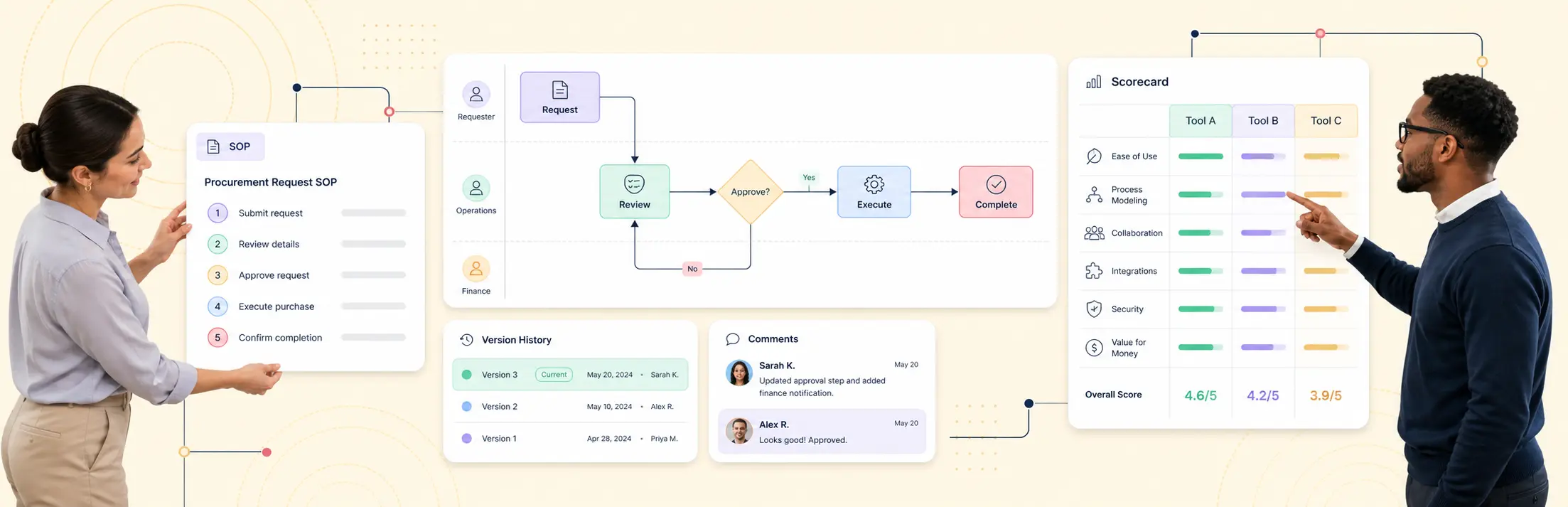
Creately Process helps teams streamline business process mapping levels by bringing strategy, operational detail, and documentation into one connected workspace. It makes it easier to standardize process map levels across teams, keep documentation consistent as processes change, and support Business Process Management (BPM) initiatives end to end.
With ready-to-use templates, BPMN and flowchart shapes, and an intuitive drag-and-drop canvas, teams can create Level 1 overviews, detailed operational flows, and deeper drill-down views without rebuilding the process from scratch.
Real-time editing and contextual comments let stakeholders review specific steps, clarify handoffs, and record feedback in the shared workspace. An accountable process owner can incorporate agreed changes and keep the documentation current.
Notes, links, and attachments let teams connect SOP references, instructions, screenshots, and forms to relevant process shapes so each level can function as living process documentation for training, change management, and day-to-day use.
Linked diagrams can connect Level 1 overviews to deeper workflows so users can navigate from the big picture to operational detail. Accountable owners should review and update each affected diagram when the process changes; the links do not imply automatic synchronization.
By adding owners and other structured details to relevant shapes and keeping supporting documentation connected, Creately helps teams improve clarity and reduce process friction across process levels. Accountable follow-through keeps the maps useful as responsibilities, systems, and workflows change.
References
Al-Fedaghi, S. and Mohamad, Y. (2019). Business Process Mapping: A Case Study. 2019 IEEE/ACS 16th International Conference on Computer Systems and Applications (AICCSA). doi:https://doi.org/10.1109/aiccsa47632.2019.9035277.
Interfacing Community. (2022). Introducing APQC’s Process Classification Framework. [online] Available at: https://community.interfacing.com/docs/introducing-apqcs-process-classification-framework/.
FAQs on Business Process Mapping Levels
Why are there different levels of process mapping?
How do I choose the right level of process mapping for my needs?
How can process mapping levels benefit my organization?
Can process mapping levels be adapted as my organization grows?
How often should I review and update my process maps?
What is the difference between a process and a sub-process?
Do all companies need a fifth level?