Network Diagram Online

Create Network Diagrams Easily

Creately's intuitive network diagram creator empowers you to create clear, professional network diagrams in minutes.

  • Easily visualize network infrastructure with customizable network diagram templates

  • Shape-data to easily store and discuss network requirements

  • Collaborate in real-time with your teammates on your network diagram online
Edit Online

Over 10 Million people and 1000s of teams already use Creately
Diagramming Grid Leader 2025 Diagramming
Visual Collaboration Grid Leader 2025 Visual Collaboration
Org Chart Grid Leader 2025 Org Chart
Most Implementable 2025 Best Results 2025 Ease to Do Business With 2025

How to Create a Network Diagram

VISUALIZE AND IDEATE

Streamline Network Management

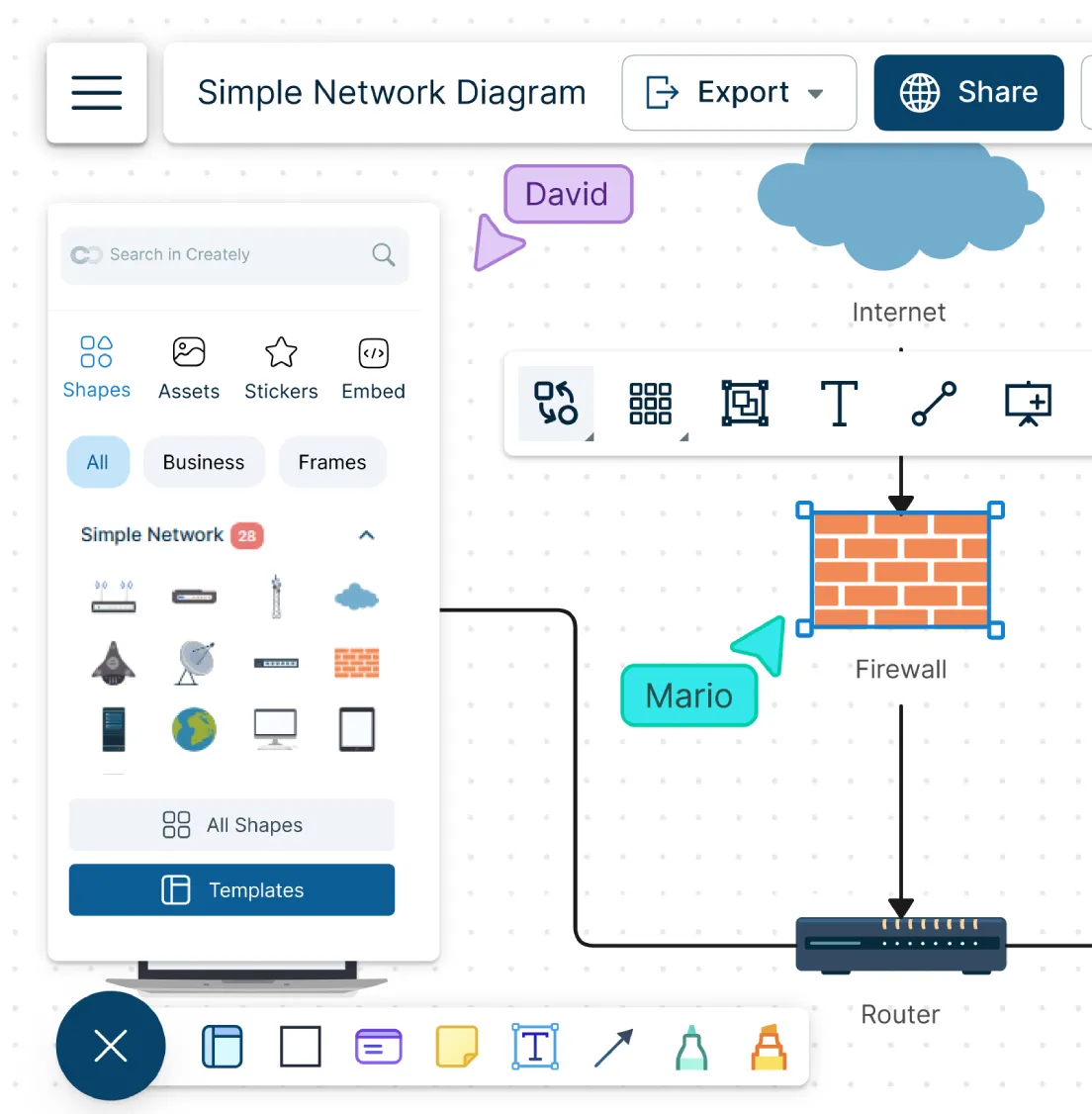
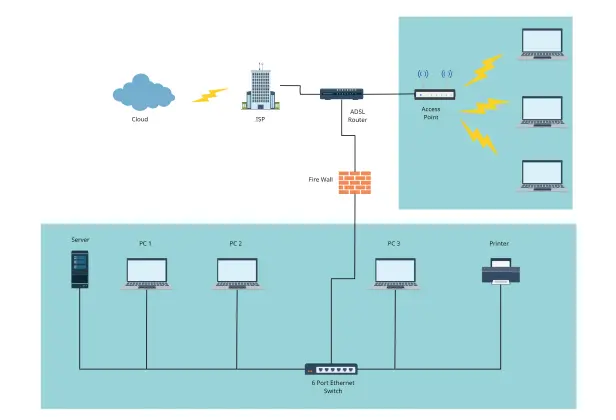
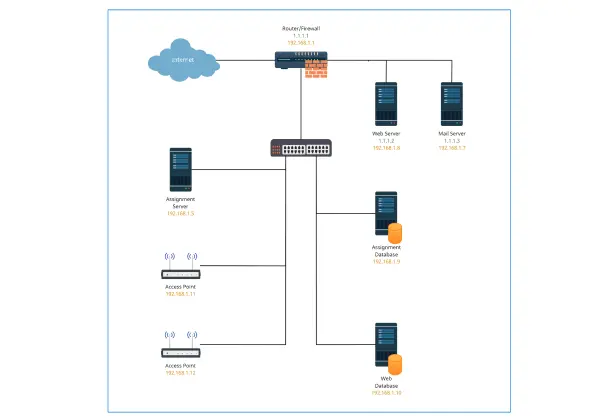
Screenshot of Creately's Network Diagram Maker being used to draw a Network Security Diagram
  • Frustration free network diagram creation with drag-and-drop functionality and a vast library of industry-standard network symbols.

  • Identify bottlenecks and simplify troubleshooting with clear and easy-to-understand network diagram examples.

  • Add data to each component on the canvas to document network requirements.

  • Shape libraries for standard network architecture diagrams, including AWS, Cisco, GCP, Azure, Kubernetes, and more.
Screenshot of Creately's Network Diagram Maker being used to draw a Network Security Diagram
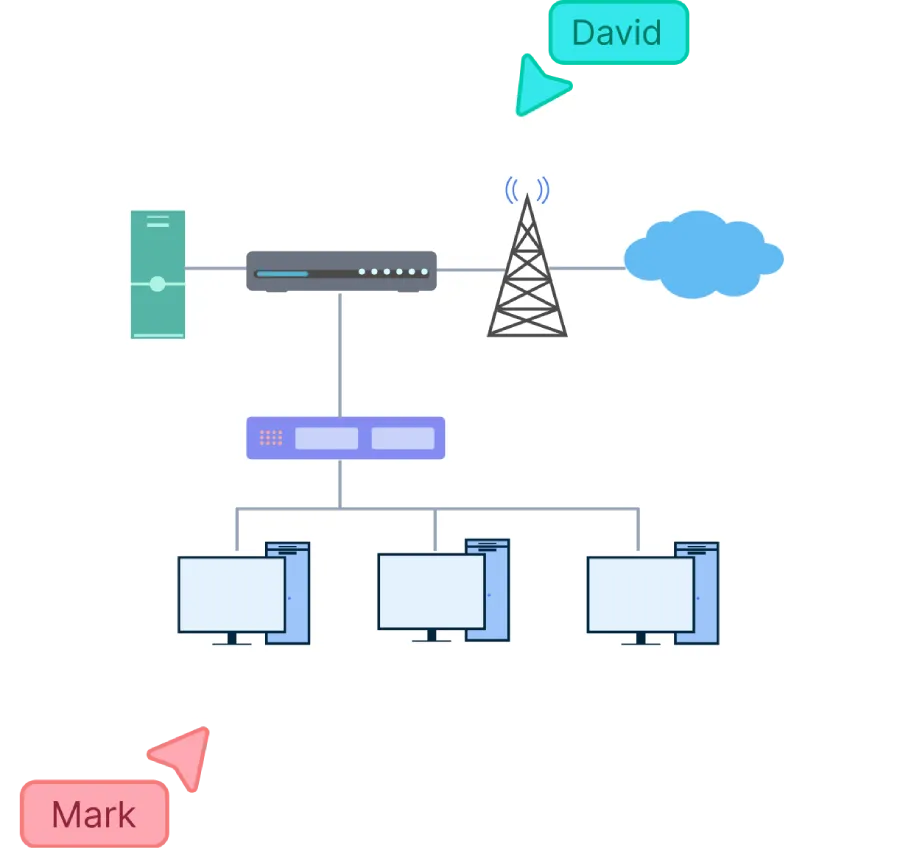
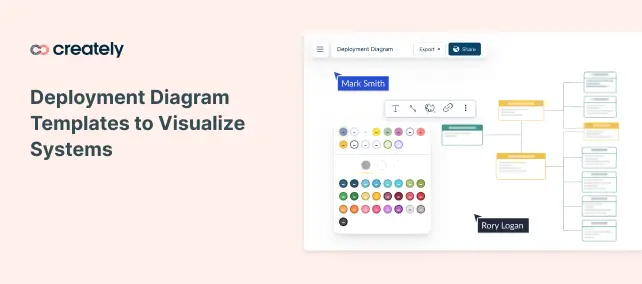
Screenshot of Creately's Collaboration Features being used to draw a Wireless Network Architecture
COLLABORATE

Real-time Collaboration Features

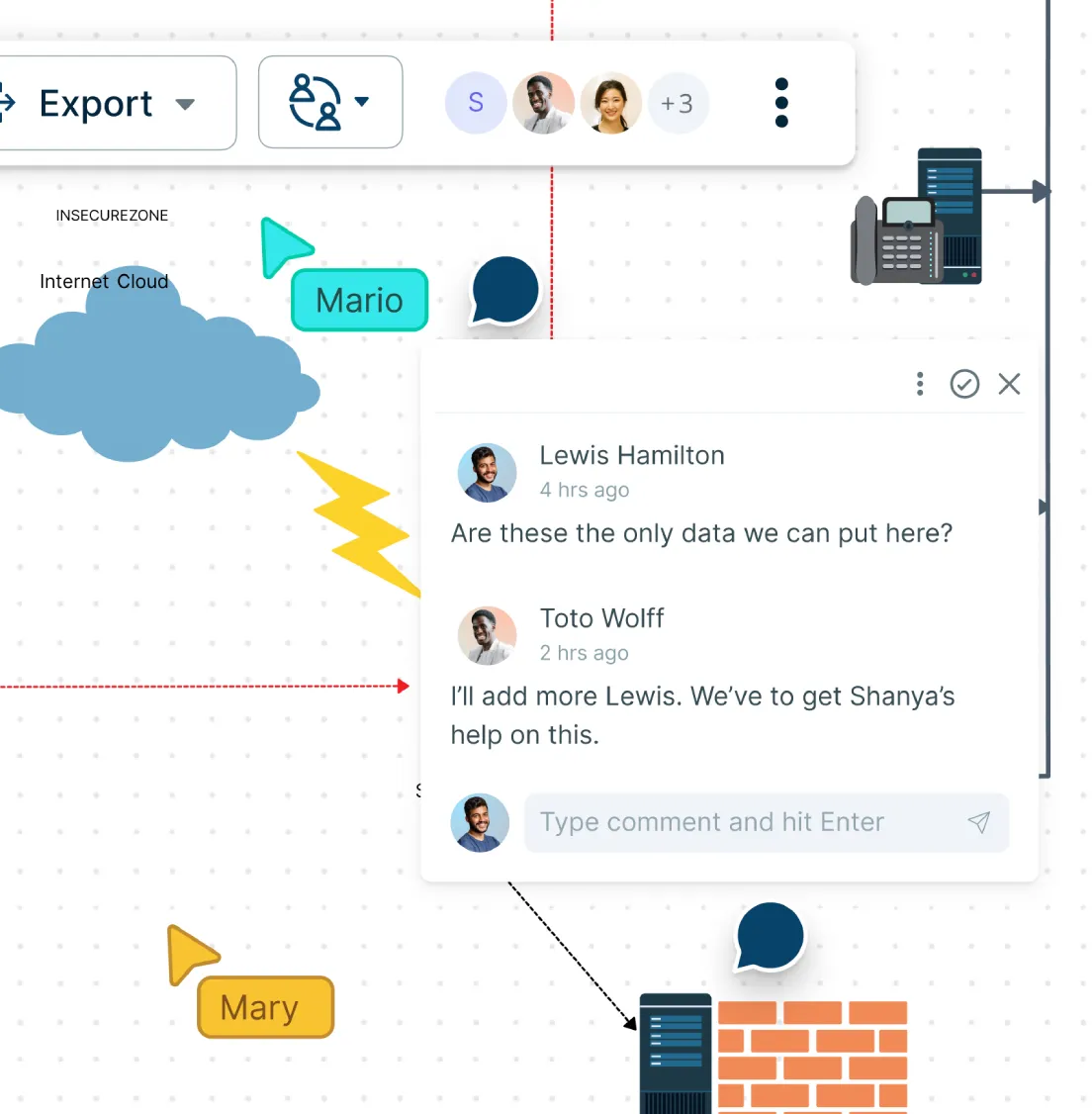
Screenshot of Creately's Collaboration Features being used to draw a Wireless Network Architecture
  • Let your team work on network diagrams simultaneously with integrated whiteboarding and asynchronous editing.

  • Access and revert back to any changes you make on the network infrastructure diagram with version history.

  • Share feedback instantly on Network diagrams and make sure everyone is on the same page with in-line commenting.

EXTEND

Unified Network Management

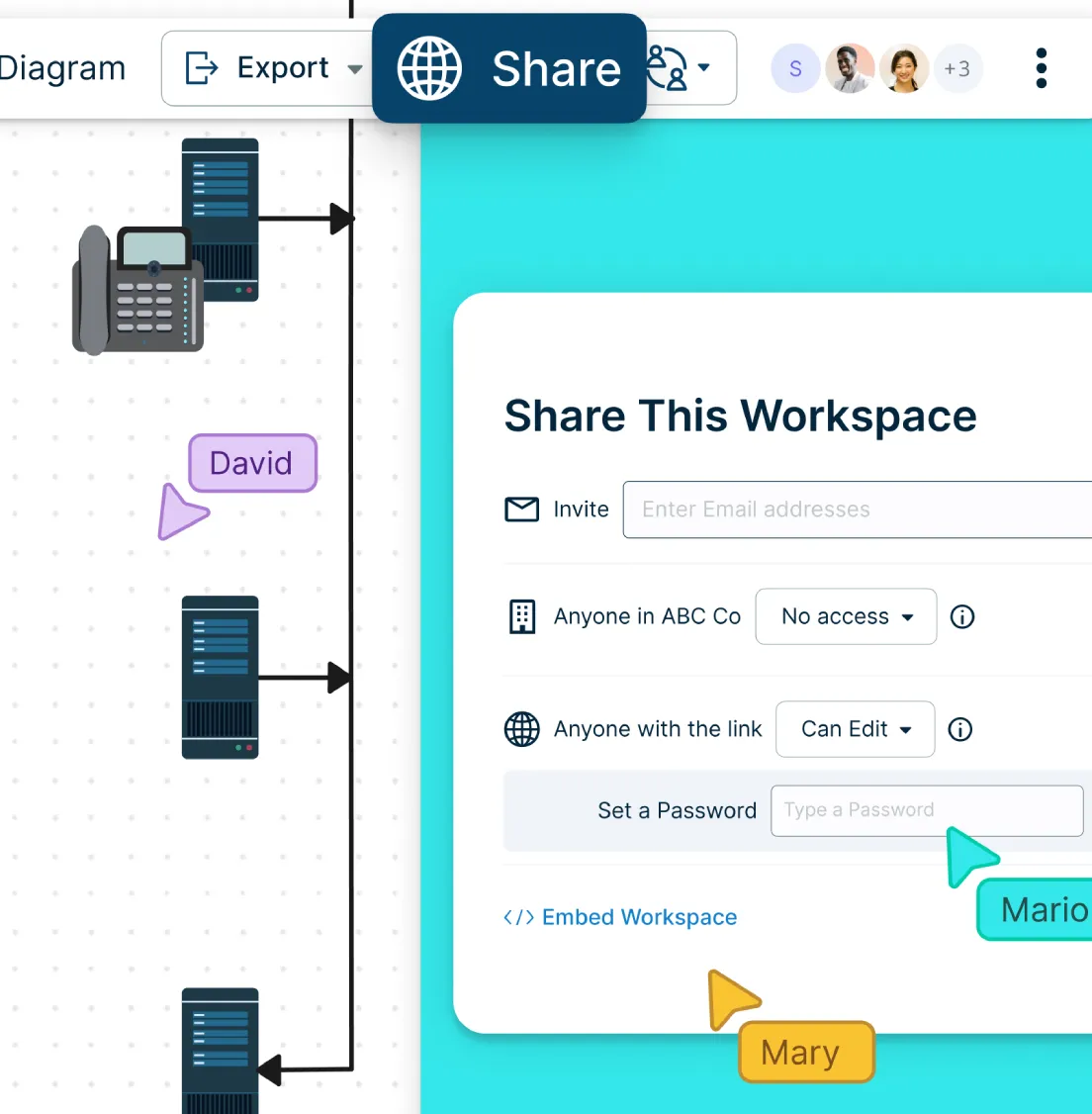
Screenshot of Sharing a Network Infrastructure Diagram in Creately
  • Multiple access and role levels to share network diagrams and review with clients and stakeholders.

  • Embed network diagrams on any site or share with anyone via email or link invite.

  • Add-ons to embed network diagrams in Google/Microsoft documents, slides, and sheets.

  • Powerful documentation capabilities to keep a repository of the network layout changes.

Screenshot of Sharing a Network Infrastructure Diagram in Creately
Ideate, plan, and execute ideas better with Creately

What is a Network Diagram?

What is a Network Diagram?
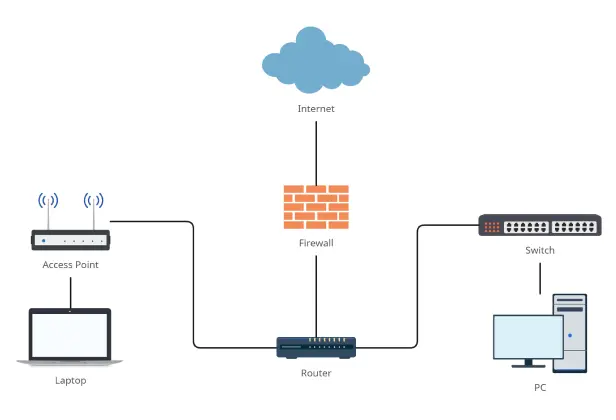
A network diagram is a visual representation of a computer or communication network that shows how devices, servers, and connections are organized. It helps IT professionals and system administrators plan, analyze, and communicate complex infrastructures, while also making it easy for non-technical stakeholders to understand the network layout and purpose.

How to Make a Network Diagram with Your Team?

  1. Open a Network Diagram Template

Pick a network diagram template from Creately network design software’s library to define the scope and quickly outline your network’s structure.

  1. Add and Connect Network Components

Drag and drop routers, switches, servers, and hubs from the shape library. Use Creately’s dynamic connectors to link components with the right cables, lines, and protocols. Customize layouts, IP schemes, and connectivity details to match your performance and security needs.

  1. Add Component Details

Use the notes panel to attach IP addresses, hardware specs, or references to each element. Add sticky notes for requirements, brainstorms, or quick clarifications on the canvas.

  1. Collaborate in Real Time

Invite your team to the workspace to suggest changes with inline comments, and assign roles to refine the network diagram until it’s finalized. Use real-time cursors to see edits as they happen, and track all revisions with version history.

  1. Review, Share & Maintain

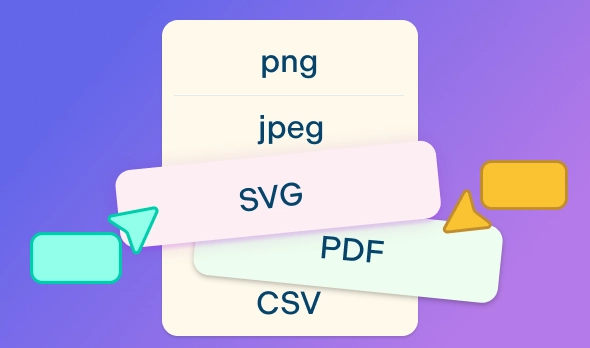
Finalize the diagram, then share it via secure link, embed it in docs, or export in formats like PDF, PNG, or SVG. Keep it updated in Creately’s network diagram builder to monitor, maintain, and improve your network over time.

Create a Network Diagram
What Our Customers Say About Us
A Comprehensive Tool for Visual Collaboration and Diagramming
it is ease of collaborative diagramming and real-time editing. This allows teams to brainstorm, create, and refine diagrams together in a way that feels intuitive and seamless, regardless of location.
Juan Leonardo G
Efficient and User-Friendly Diagramming Tool
I love how easy it is to create and collaborate on diagrams with Creately. The real-time collaboration feature is incredibly helpful for team projects, and the extensive library of templates and shapes saves a lot of time
Aymen G
Creately provides best diagram structure.
Creately has proven to be an incredibly creative tool, enhancing the visual appeal of our company tasks significantly. Additionally, its pricing is highly competitive, offering great value for the features it provides.
Ruchika N
Great AI features
AI Modelling capability. It gives Prompt examples so user can learn how to create effective prompts
Karma A.
User friendly and visually appealing!!
The interface is easy to use. The look is aesthetically pleasing as well. Love the functionality.
Chrisoula

FAQs About the Network Diagram Maker

How can Creately network diagram templates be used?

Creately’s network diagram tool offers a variety of templates that can be easily modified online to suit your specific network design needs. These templates are useful for network designers, administrators, and anyone needing to quickly visualize network structures. They come with industry-standard symbols to accurately represent different network components.

What types of network diagram templates does Creately provide?

Creately provides an extensive range of templates, including Network Topology Diagrams, Cisco Network Diagrams, Office Network Diagrams, and Rack Space Diagrams. Each template is designed to cater to different aspects of network diagramming, from high-level overviews to detailed infrastructure layouts.

How can I share my network diagram online?

Creately’s network diagram maker offers several options for you to share a diagram. You can share a workspace link with edit or view access with anyone you wish to collaborate with or import the diagram in a suitable image format (PNG, SVG, PDF, or JPEG) so you can share or publish it. Additionally, you can also use a secure embed link to embed your network diagram in any site or intranet or use the workspace view mode to present it to stakeholders.

Why use Creately to create your network diagram online?

Creately’s network diagram maker offers industry standard shape and icon libraries for Google Cloud, AWS, Azure, Kubernetes and Cisco. It has intuitive drag and drop tools for you to easily create your network infrastructures and pre-made templates for multiple scenarios.

What kind of network connectors are available in Creately?

Creately’s online network diagram tool offers multiple types of connectors to match real-world network setups. You can use straight lines, curved lines, and elbow connectors for clean layouts, and apply different styles to represent cables and protocols. The connectors are intelligent and will automatically snap to shapes and adjust as you move components, ensuring diagrams stay neat and accurate.

How can I add data to my network diagram in Creately?

With Creately’s network diagram maker, you can assign each component in your network diagram additional data fields to add details for each equipment. Integrated notes are also available for each node to add descriptions and document requirements to create a single source of truth. Simply select the network diagram component, and access notes and additional data fields via Shape Data.

Is Creately’s Network Diagram Maker free?

Creately offers a free plan that includes basic network diagram features and limited collaboration. Premium plans unlock advanced features, additional templates, and increased storage.
Streamline Your Workflows by Integrating with the Tools You Love
Creately integrates with the tools your teams use every day and supports your team’s workflow seamlessly.
Github
Microsoft
Google Drive
Google Sheets
Google Docs
Google Slides
Confluence
Why Is Creately a Better Network Diagram Tool
Creately is the intelligent visual platform enabling visual collaboration, knowledge management and project execution.
Why Is Creately a Better Network Diagram Tool
Infinite Visual Canvas
Real-Time Collaboration
Custom Databases
Data Driven Docs
Professional Diagramming
Enterprise Grade Security
Project & Task Management
Powerful Visual Modelling
G2
Atlassian
GetApp
Capterra
Software Advice
Trust Radius

24/7 Live Support

Live in-app chat support

Sign up for a Free Account Today
banner-img