This guide explains how to close that gap by using org charts as a live workforce-planning surface. Instead of treating the chart as a static directory, teams can use it to compare the current organization with future-state scenarios, connect workforce decisions to succession risk, and turn headcount planning into a clearer executive conversation. In Creately Atlas, reviewed CSV imports, separate people and positions, and 201 fields across 15 packs support workforce analysis and proposed org changes.
For an Atlas evaluation, compare workforce and headcount options, prepare People Ops planning views, and document the recommendation with the HR workforce decision guide.
Workforce Planning Definition
Workforce planning is the process of aligning your workforce with your business strategy—today and in the future.
At its core, it answers questions like:
- Do we have the right roles to support our goals?
- Where are we over‑ or under‑staffed?
- What skills or leadership gaps could slow us down?
- How will growth, attrition, or restructuring affect us?
Effective workforce planning combines headcount, skills, structure, and timing. It’s not just about how many people you have—it’s about where they sit in the organization and how work actually flows.
Why Traditional Workforce Planning Tools Fall Short
Most organizations rely on a mix of spreadsheets, HRIS reports, and static org charts. Each tool has data—but none provide the full picture.
Spreadsheets
- Break easily when assumptions change
- Don’t show reporting relationships or structural impact
- Make scenario modeling manual and error‑prone
Enterprise HR Systems
- Powerful but slow to configure
- Limited visual modeling for reorgs or “what‑if” planning
- Often inaccessible to non‑HR stakeholders
The result is a gap between data and decisions. HR teams spend time explaining numbers instead of guiding strategy. A stronger workforce-planning workflow keeps the structure, the planned changes, and the succession implications visible in the same review surface.
Why Org Charts Are Essential for Workforce Planning
Org charts add the structural context that workforce planning tools lack.
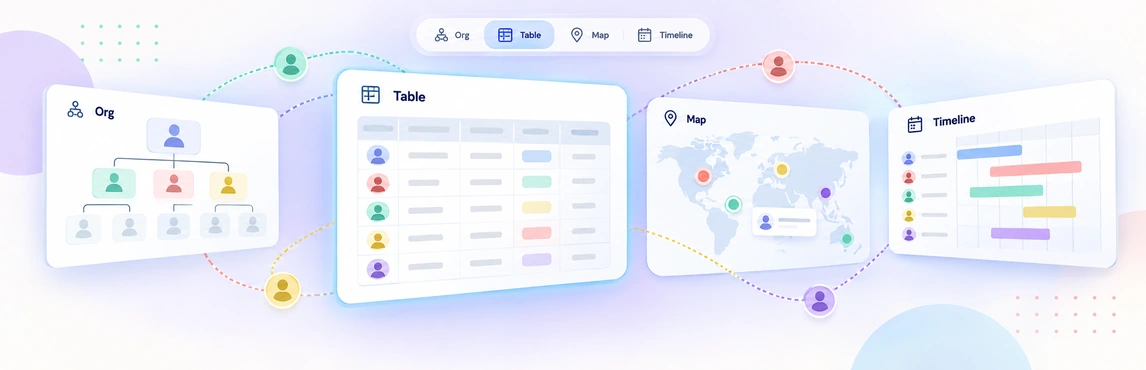
When org charts become dynamic, data‑rich models—not static diagrams—you can:
- See reporting lines, spans of control, and vacant roles instantly
- Identify single points of failure and overloaded managers
- Understand how headcount changes affect teams and leaders
- Model future org structures without touching the live organization
Workforce planning stops being a spreadsheet exercise and becomes a visual planning conversation.
Workforce Planning Process
Step 1: Map Your Current State
Start with a shared baseline. Use AI-powered column mapping to review CSV exports from your HRIS or spreadsheet before import. Review suggested matches for headers such as “Supervisor” or “Hire Date” before confirming the import. The same import flow can also validate missing IDs, unknown managers, and reporting cycles before the chart goes live, making it easier to rerun updates without breaking the planning model.
Step 2: Identify Structural Risks via AI Insights
Once visible, risks that stay hidden in rows and columns stand out. Use proactive AI insights to instantly flag managers with a “wide span of control” (e.g., more than 12 reports) or identify “single points of failure” where a critical role has no backup. One-click view presets help HR teams move from a generic chart to a focused risk view without rebuilding the analysis.
Step 3: Activate Talent and Readiness “Lenses”
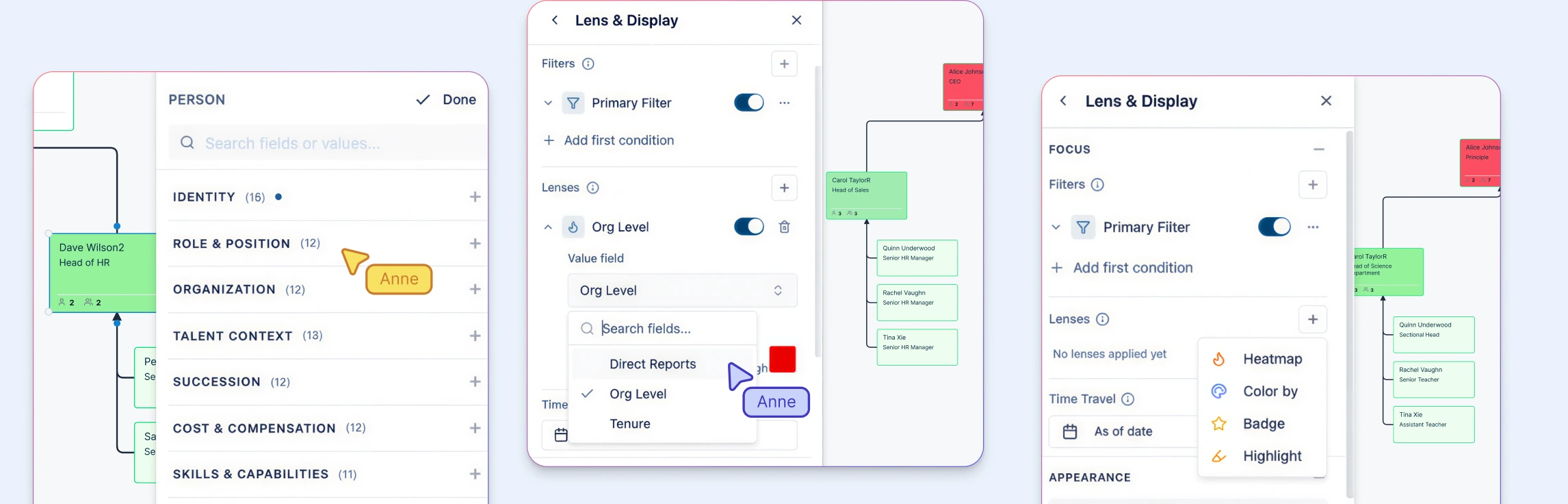
Turn your chart into a talent map by toggling on Field Packs. Layer on 9-box ratings, flight risk, and tenure distributions. This allows you to see not just who is in a role, but how prepared that department is for a sudden departure. Across 15 field packs, access tiers govern compensation, workforce, skills, and talent data, while sensitive demographic data is limited to permitted aggregate reporting.
Step 4: Model Delta-Based Scenarios
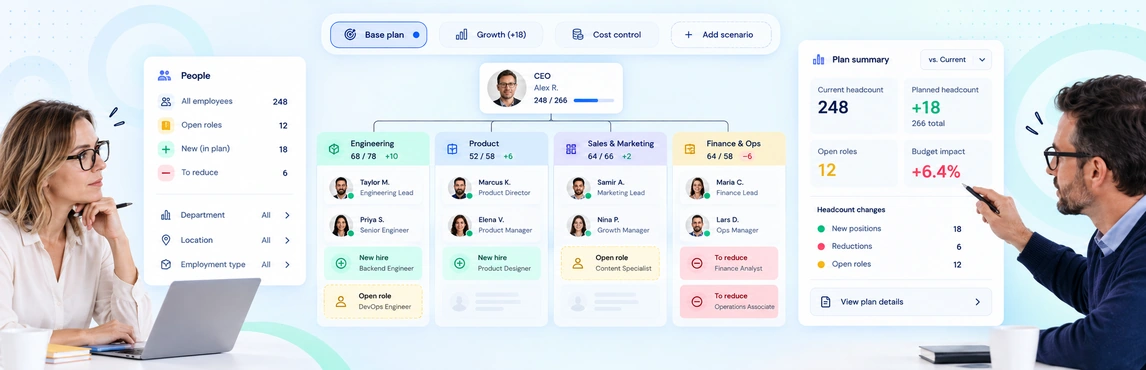
Move from static reporting to “what-if” modeling. Create named scenarios to test reorgs or growth plans without touching the live org chart. Because changes are delta-based, the system tracks every move, position change, and salary update, providing a clear “before and after” cost and structural comparison. Historical as-of views also make it easier to explain how the organization changed between review cycles.
Step 5: Build Action-Ready Plans
Convert your scenario into a roadmap. When the model separates People from Positions, you can create “Vacant” position entities for future hires. These positions maintain their reporting lines, visibility rules, and planning context, making the handoff to recruiting seamless while letting Finance, Recruiting, and business leaders review linked department views from the same model.
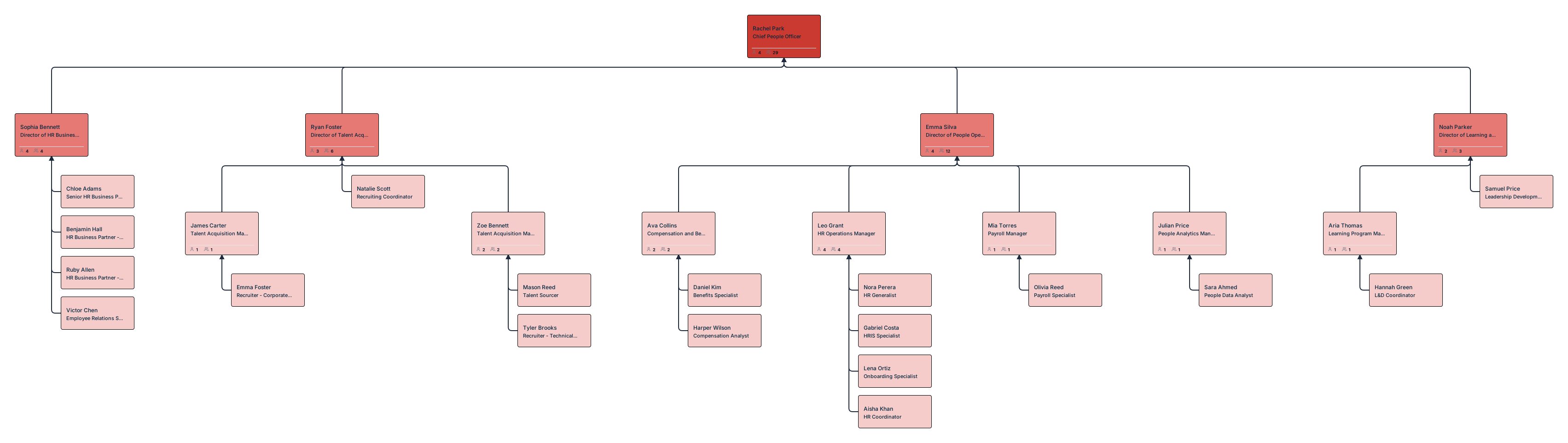
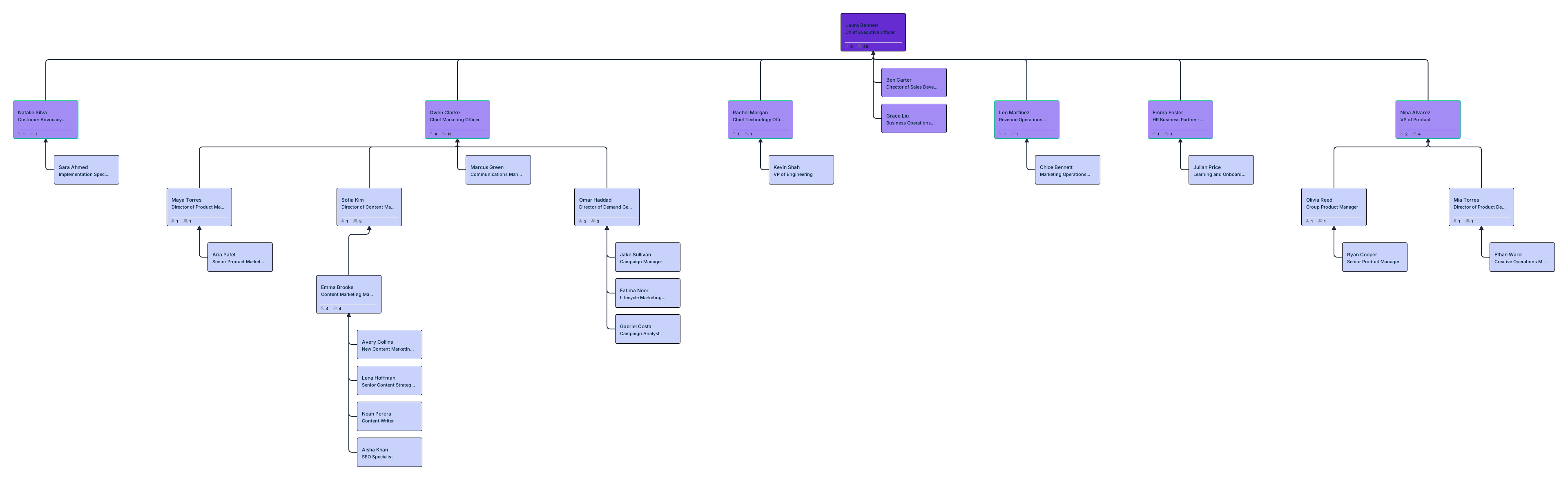
Org Chart Templates to Get Started




Headcount Planning with Org Charts
Headcount planning is about more than just hitting a hiring target; it’s about geographic and financial distribution. Using the Workforce and Compensation field packs, you can:
- Model Cost Impact: Review proposed salary and headcount changes against budget assumptions, using compa-ratio heatmaps separately to compare pay with range midpoints.
- Manage Worker Types: Visualize your Contractor vs. FTE mix to identify departments overly reliant on temporary staff.
- Plan by Location: Use color-coded overlays to see where your team is growing—whether it’s onsite, hybrid, or remote.
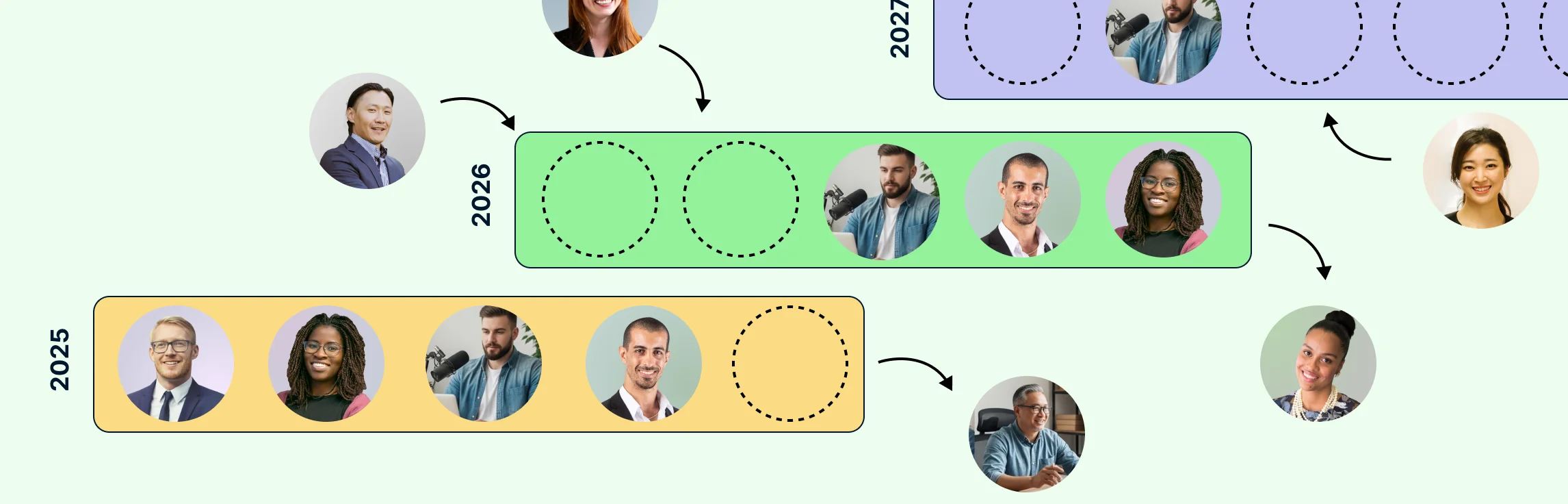
Connecting Workforce Planning to Succession Planning
Workforce planning and succession planning often live in separate documents. That separation creates risk.
When succession data is layered onto the org chart:
- Critical roles without ready successors are obvious
- Leadership pipelines can be reviewed visually
- Future org scenarios reveal succession gaps before they become problems
Planning for growth without succession planning is planning for disruption.
Workforce Planning Tools Compared
| Feature | Creately | Workday | SAP SuccessFactors | Excel |
|---|---|---|---|---|
| Visual org modeling | ✓ | Limited | Limited | ✗ |
| Scenario planning | ✓ | ✓ | ✓ | Manual |
| Structural risk visibility | ✓ | Limited | Limited | ✗ |
| AI insights & queries | Natural-language org queries | Verify product and module | Verify product and module | Verify licensed tools |
| Self‑serve setup | ✓ | ✗ (enterprise) | ✗ (enterprise) | ✓ |
From Planning to Action
Workforce planning works best when it’s visual, flexible, and shared.
By turning org charts into living planning models, HR teams move from reporting what happened to shaping what happens next—confidently, collaboratively, and ahead of change.
Helpful Resources
Build, analyze, and plan org structures with Creately’s workforce planning tool.
Learn how to plan organizational restructures using scenario planning.
Learn how to plan organizational restructures using scenario planning.
Explore rules for drawing organizational charts and org chart best practices to make your org chart more meaningful and useful.
Easily make organizational charts to visualize the reporting structure of your organization for effective HR planning and management with org chart maker.
Learn simple steps to create an org chart that fits your business, along with tips and tools to make it easy to build and update.
FAQs About Workforce Planning
What tools are used for workforce planning?
How do org charts help with workforce planning?
Can workforce planning be done without an HRIS?
How often should workforce plans be updated?
When to Use Org Charts for Workforce Planning
Org chart‑driven planning is especially valuable when:
- Teams are growing quickly
- Reorganizations are on the table
- Leadership transitions are expected
- Annual or quarterly headcount planning is underway
Any moment of change benefits from shared, visual clarity.