This guide compares the best genogram software for 2026, including AI genogram makers, clinical tools, genealogy platforms, and general diagramming apps. You’ll see what each tool is best for, where it falls short, and which option fits your needs—whether you’re creating genograms for therapy, social work, healthcare, research, education, or family history.
How We Evaluated the Best Genogram Software
We compared each tool based on the features that matter most when creating professional genograms: support for standard genogram symbols, relationship line types, AI capabilities, templates, structured data fields, ease of use, collaboration, export options, scalability, and privacy or security considerations. Pricing and feature availability can change, so use this guide as a starting point and confirm current details on each vendor’s website before choosing a tool.
Quick Overview of the Best Genogram Software
| Feature | Creately | GenogramAI | GenoPro | EdrawMax | SmartDraw | Lucidchart | Canva | Venngage | Visual Paradigm | Genogram Analytics | MyHeritage |
| Complete genogram symbols | Yes | Yes | Yes | Yes | No | No | No | No | Yes | Yes | No |
| Standard connector types | Yes | Yes | Yes | Yes | No | No | No | No | Yes | Yes | No |
| Real-time collaboration | Yes | Yes | No | Yes | Yes | Yes | Yes | Yes | Yes | No | No |
| Templates | Yes | Yes | Yes | Yes | Yes | Yes | No | Yes | Yes | No | Yes |
| Custom attributes | Yes | Yes | Yes | Yes | Yes | Yes | Yes | Yes | Yes | Yes | Yes |
| Shape-level notes | Yes | Limited | No | Yes | No | Yes | No | No | No | No | No |
| AI genogram generation | Yes | Yes | No | Limited/AI diagramming | No | Limited/AI diagramming | No | No | No | No | No |
| Case/report workflow | PDF/DOCX case reports | Diagram exports | HTML reports | General exports | General exports | General exports | Design exports | Design exports | General exports | Reports/analysis | Genealogy reports |
| Pricing | Free plan; paid plans start at $5/month billed annually | Free plan; Pro listed at $12/month | One-time purchase at $49 | Subscription starts at $99/year | Subscription starts at $9.95/month | Subscription starts at $7.95/month | Free plan; Pro starts at $15/month | Free plan; Premium starts at $9.95/month | Subscription starts at $6/month | One-time purchase at $39 | Subscription starts at $179/year |
Pricing and feature availability can change, so confirm current plan details and compliance requirements on each vendor’s site before making a final purchase decision.
What to Look for in the Best Genogram Software
The best genogram software should help you do more than draw a family tree. Look for a tool that helps you start quickly, use standard notation, add case details, collaborate securely, and export work in a usable format.
1. Fast Start Options
Choose software that offers templates, guided setup, drag-and-drop editing, or AI generation. This saves time when you create genograms regularly.
2. Standard Genogram Symbols
Look for family structure symbols, emotional relationship lines, medical indicators, and psychosocial markers. Standard notation is important for therapy, social work, healthcare, and research.
3. AI Genogram Creation
AI text-to-genogram can help turn intake notes, family summaries, or case descriptions into an editable first draft. The best tools let you refine the genogram after it is generated.
4. Easy Editing
A good tool should make it simple to add parents, partners, children, siblings, and extended family members. Quick-add actions, auto-layout, and easy relationship switching are especially helpful during sessions or interviews.
5. Structured Case Details
Look for fields or notes that let you attach health conditions, genetic markers, occupations, social context, legal details, cultural information, or research data to people and relationships.
6. Analysis and View Modes
The best tools help you spot patterns, not just draw them. Health views, culture views, pattern detection, relationship summaries, and evidence gap checks can make the genogram more useful.
7. Collaboration
If you work with clients, supervisors, students, or teams, choose software with real-time collaboration, comments, sharing permissions, and review workflows.
8. Export and Reports
At minimum, you should be able to export the genogram as a PDF or image. For professional use, look for report generation that includes the diagram, profiles, relationship summaries, notes, and legends.
9. Security and Compliance
Genograms often include sensitive family or health information. Look for secure sharing, role-based access, encryption, and compliance support such as HIPAA, SOC 2, ISO 27001, or GDPR.
10. Pricing and Scalability
Compare plans based on what you actually need: AI generation, templates, exports, collaboration, reporting, or team access. Also check whether the tool can support larger genograms and multiple projects.
Quick Recommendations
- Best overall: Creately, for professional genograms with AI text-to-genogram generation, templates, collaboration, structured data, and export options.
- Best desktop genogram tool: GenoPro, for users who prefer a Windows-based offline tool.
- Best general diagramming alternative: EdrawMax or Lucidchart, for users who need genograms alongside other diagram types.
- Best simple visual design option: Canva or Venngage, for basic family relationship visuals.
- Best genealogy-focused option: MyHeritage, for family history research rather than professional genogram analysis.
1. Creately
Creately is the best genogram software for professionals who need more than a basic family tree or a quick AI-generated diagram. Creately Genogram Maker is a standalone AI genogram app for building, analyzing, documenting, reviewing, and reporting professional genograms in one workspace. It is especially useful for therapists, social workers, medical professionals, genetic counselors, educators, legal teams, researchers, and anyone working with detailed family, health, cultural, or relationship data.
One of Creately’s biggest strengths is that it supports the full genogram workflow. You can generate a first draft from notes, refine the structure with McGoldrick/Gerson-style notation, map complex family and emotional relationships, add structured case details, collaborate with others, and export either the diagram or a full PDF/DOCX report when the work is ready.
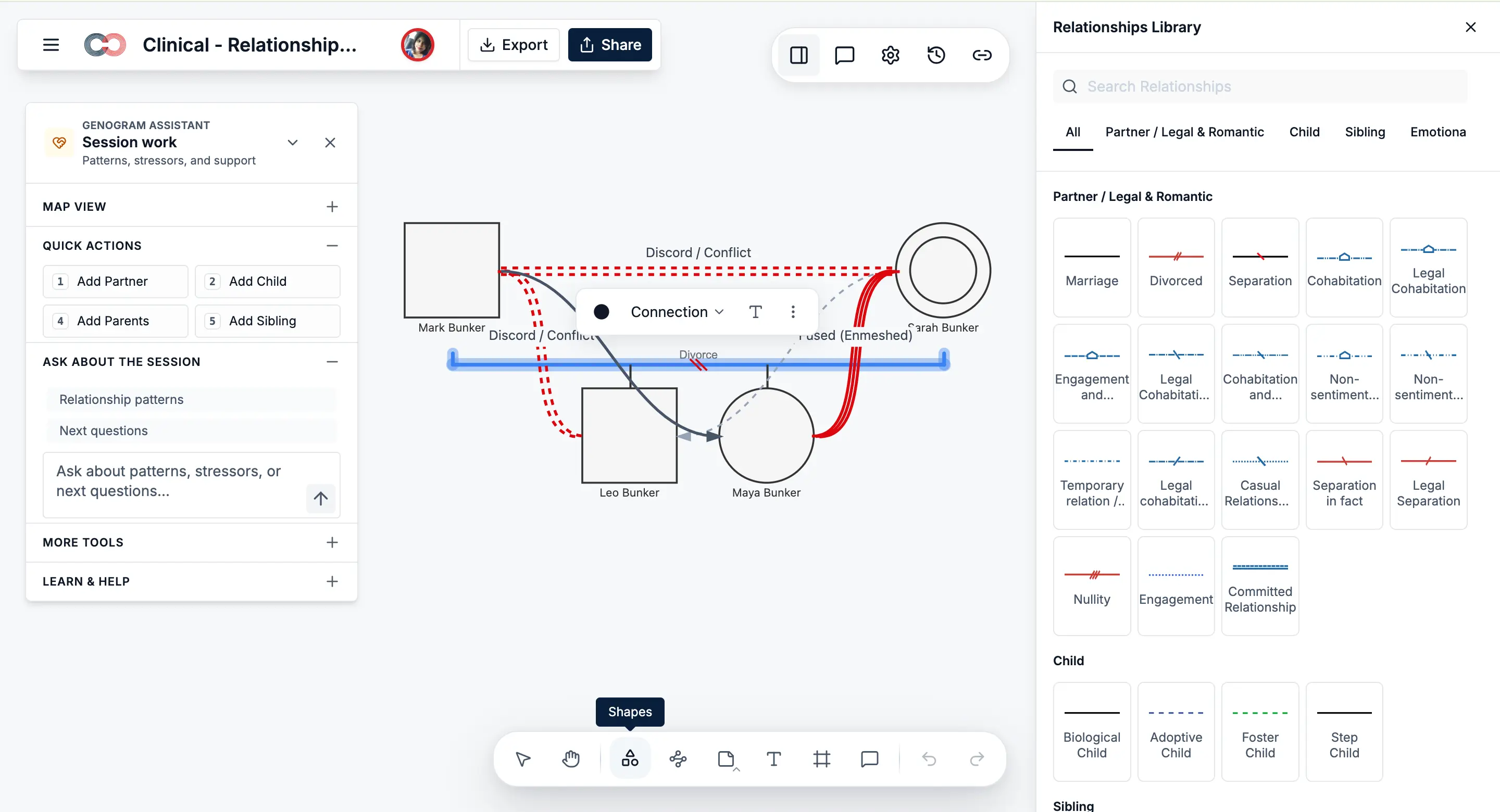
Key features
AI text-to-genogram generation
Paste intake notes, family summaries, or case details and turn them into an editable genogram draft.
71 relationship subtypes
Map partner, parent-child, emotional, hostile, adoptive, foster, step, twin, and other relationship types with clinical visual notation.
McGoldrick/Gerson-style notation
Use standard genogram person shapes and 40+ auto-derived person shape variants that update based on the data added to each person.
Structured field packs
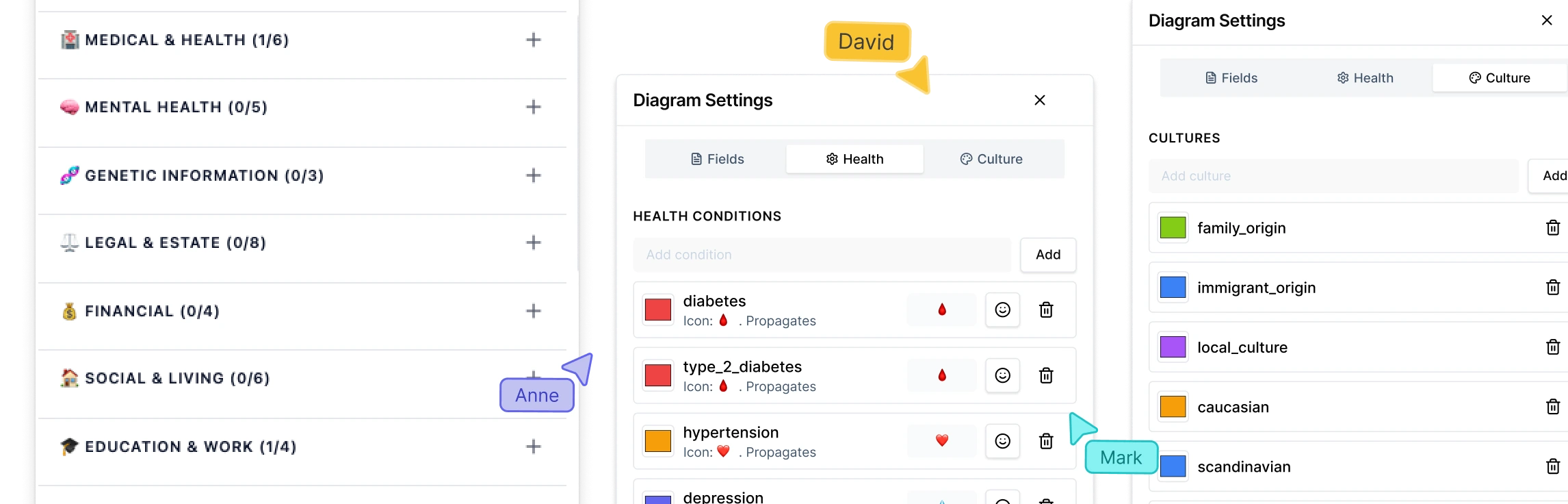
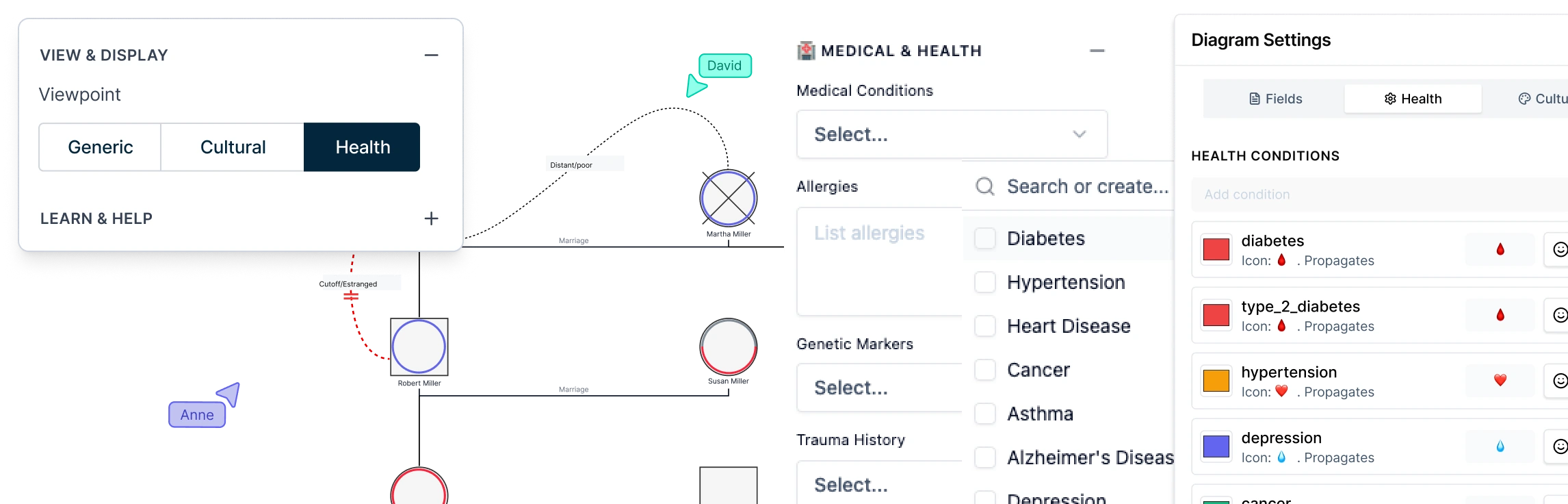
Capture therapy, medical and genetic, social work, legal and estate, cultural, and research details using 6 field packs with 66+ fields.
Health and Culture views
Switch views to review hereditary patterns, medical history, cultural heritage, migration, and cross-cultural family structures.
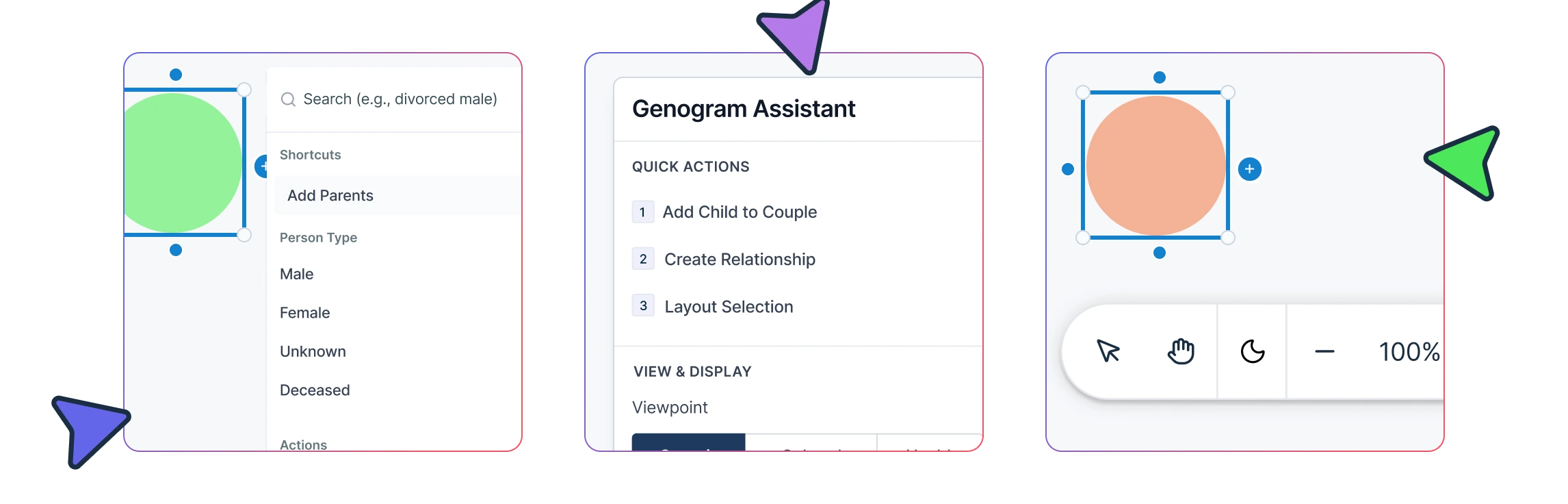
Genogram Assistant
Use AI-supported review to identify relationship gaps, surface evidence gaps, summarize family patterns, and draft case documentation.
Live session building
Add relatives quickly with keyboard shortcuts, right-click options, auto-save, and auto-layout, making it easier to build genograms during sessions or interviews.
Real-time collaboration
Work with supervisors, case teams, clients, students, or stakeholders using live co-editing, comments, live cursors, and role-based permissions.
Report and export options
Export genograms as PDF, DOCX, PNG, JPEG, SVG, or JSON, or generate structured PDF/DOCX reports with the diagram, person profiles, relationship details, AI observations, and symbol legend.
Pros
- Standalone AI genogram app built for professional workflows.
- Supports AI generation, clinical notation, field packs, analysis, collaboration, and reporting in one workspace.
- Strong fit for therapy, social work, healthcare, genetic counseling, legal, education, and research use cases.
- More relationship depth than many tools, with 71 relationship subtypes.
- Supports secure collaboration and structured documentation.
Cons
- Advanced field packs, reporting, and customization may take some learning.
- Cloud-based workflows work best with a stable internet connection.
Best for
Creately is best for professionals and teams who need to create accurate genograms and use them as part of real case work. It is the strongest choice if you need AI generation, clinical relationship mapping, structured case details, collaboration, Health/Culture views, and report export in one genogram app.
2. GenogramAI
GenogramAI is a dedicated AI genogram maker focused on generating genograms quickly. It is useful for users who want to create a family map from text, images, or files and prefer a tool built specifically around genogram generation rather than a broader diagramming workspace.
GenogramAI highlights AI generation, a drag-and-drop genogram builder, 58 relationship line types, medical history tracking, templates and examples, and professional export options. It can be helpful for students, individuals, and professionals who need a fast first draft or a simple standalone genogram.
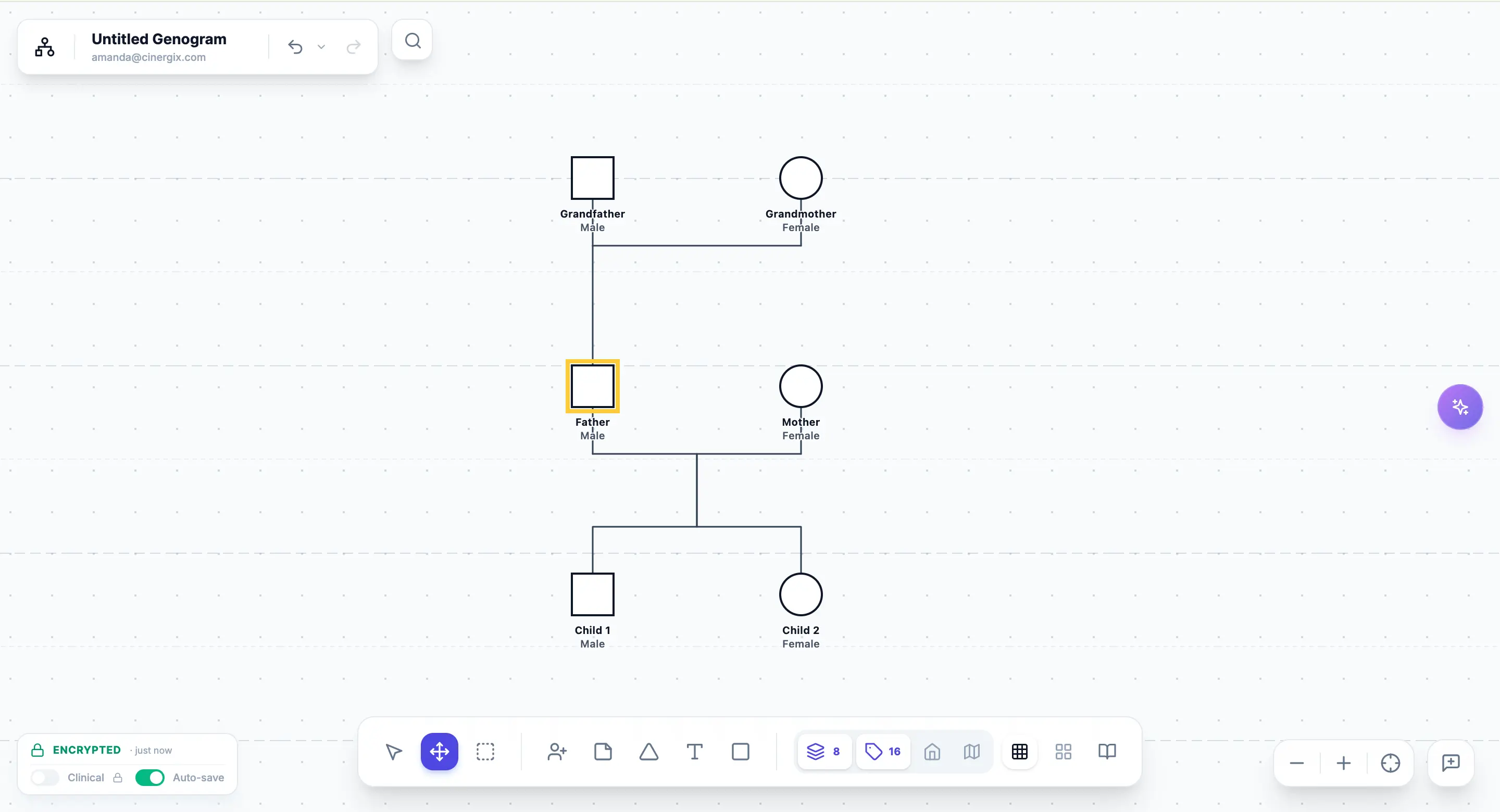
Key features
AI-assisted genogram creation
Generate genograms from text and other inputs, depending on the plan and workflow.
58 relationship line types
Map common family and relationship patterns with built-in relationship types.
Drag-and-drop editor
Edit generated genograms manually using a dedicated genogram builder.
Medical history tracking
Add medical and family health information to support health-related genograms.
Template and example library
Access genogram examples and templates for different family, medical, cultural, and academic scenarios.
Export options
Export finished genograms for sharing or documentation, with more export options available on paid plans.
Pros
- Dedicated AI genogram generator.
- Good for creating genograms quickly from text or other inputs.
- Includes genogram-specific relationship lines and examples.
- Useful for students, personal users, and simple professional diagrams.
Cons
- More focused on generation than full case workflow.
- Public review depth appears limited compared with more established diagramming/collaboration platforms; Capterra currently shows 0 user reviews for GenogramAI.
- Less suitable if you need structured professional field packs, team review, Health/Culture views, or full case report generation.
Best for
GenogramAI is good for users who mainly want to generate genograms quickly with AI. It is a good fit for quick drafts, learning examples, and standalone family maps, but professionals who need structured case documentation, collaboration, analysis, and report export may need a more complete workflow tool like Creately.
3. GenoPro
GenoPro is a desktop-based software designed specifically for creating detailed genograms and family trees. Unlike general diagramming tools, GenoPro focuses solely on genograms, offering features tailored for analyzing family dynamics, medical histories, and hereditary traits. However, it’s primarily a Windows-based application, which means it lacks the flexibility of online tools.
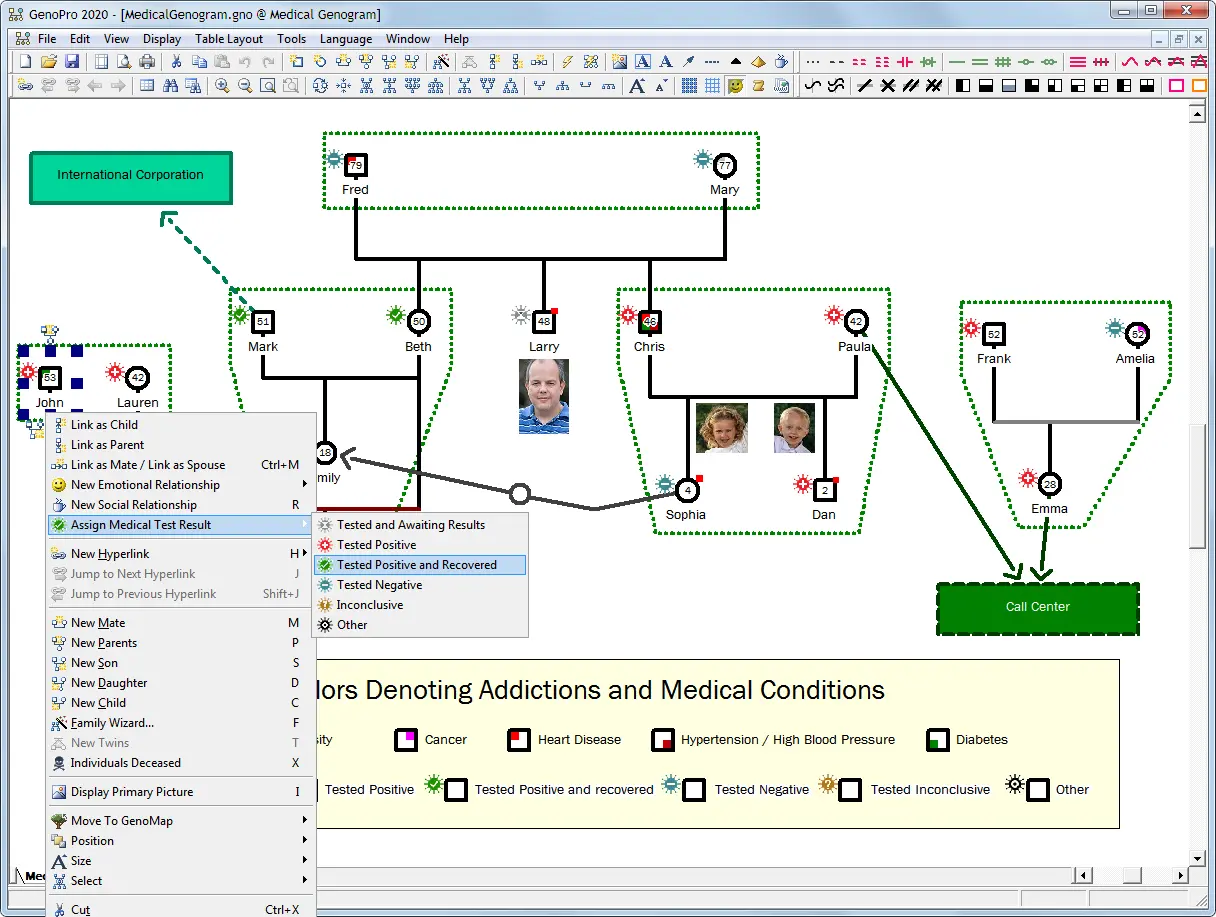
Key features
Detailed family tree creation
Add extensive information, including relationships, medical history, and personal details.
Customizable reports
Generate HTML-based reports to share family histories.
Symbol library for genograms
Includes standard genogram symbols for mapping family relationships.
Multilingual support
Available in several languages, making it accessible to users worldwide.
Pros and Cons
| Pros | Cons |
|---|---|
| Focused on genograms with in-depth customization options. | Only available for Windows, limiting access for Mac and web users. |
| No internet connection required since it’s a desktop application. | Lacks real-time collaboration, making teamwork difficult. |
| Can generate reports for analysis and documentation. | Outdated interface compared to modern, cloud-based tools. |
Best for
GenoPro is best suited for genealogists, therapists, and researchers who need a detailed and data-heavy approach to genogram creation.
Not ideal for: Teams that need real-time collaboration, browser-based access, or a modern cloud workspace for reviewing and sharing genograms across devices.
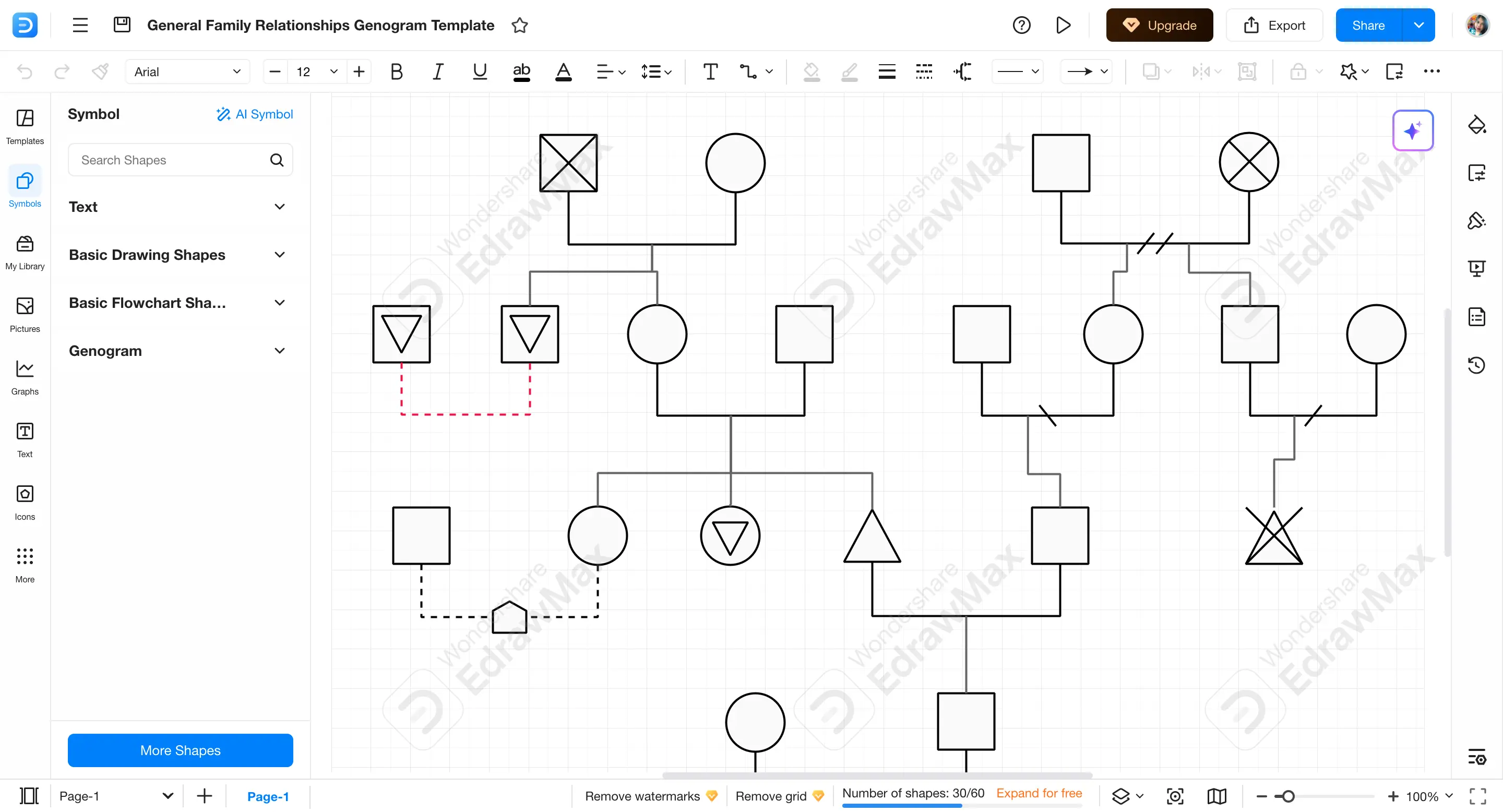
4. EdrawMax
EdrawMax is a comprehensive diagramming software that simplifies the creation of genograms - visual representations of family relationships and histories. EdrawMax offers an intuitive platform to map out complex family dynamics. Its user-friendly interface and extensive symbol library make it accessible to both beginners and professionals.
Key features
Pre-made templates
EdrawMax comes with ready-to-use genogram templates, making it easy to get started.
Customizable symbols
You can use genogram symbols to show family connections, medical histories, and other relevant details.
Cross-platform compatibility
Available as both desktop and online versions, allowing flexibility in how you work.
Export options
EdrawMax supports exporting your genograms in various formats.
Pros
- Easy to use - simple drag-and-drop interface.
- Flexible - works across multiple platforms and offers a variety of diagramming tools.
- Customizable - lots of styling options for your genogram.
Cons
- Not specifically designed for genograms, so lacks some of the more specialized features that Creately offers.
- Learning curve for advanced features, which might take some time to get used to.
Best For
EdrawMax is a good option if you need a versatile diagramming tool that can handle various tasks, not just genograms. It’s great for those who want a flexible tool that can also be used for other types of diagrams.
Not ideal for: Users who need a highly specialized genogram workflow with advanced clinical, therapy, social work, or research-focused genogram features built around case documentation.
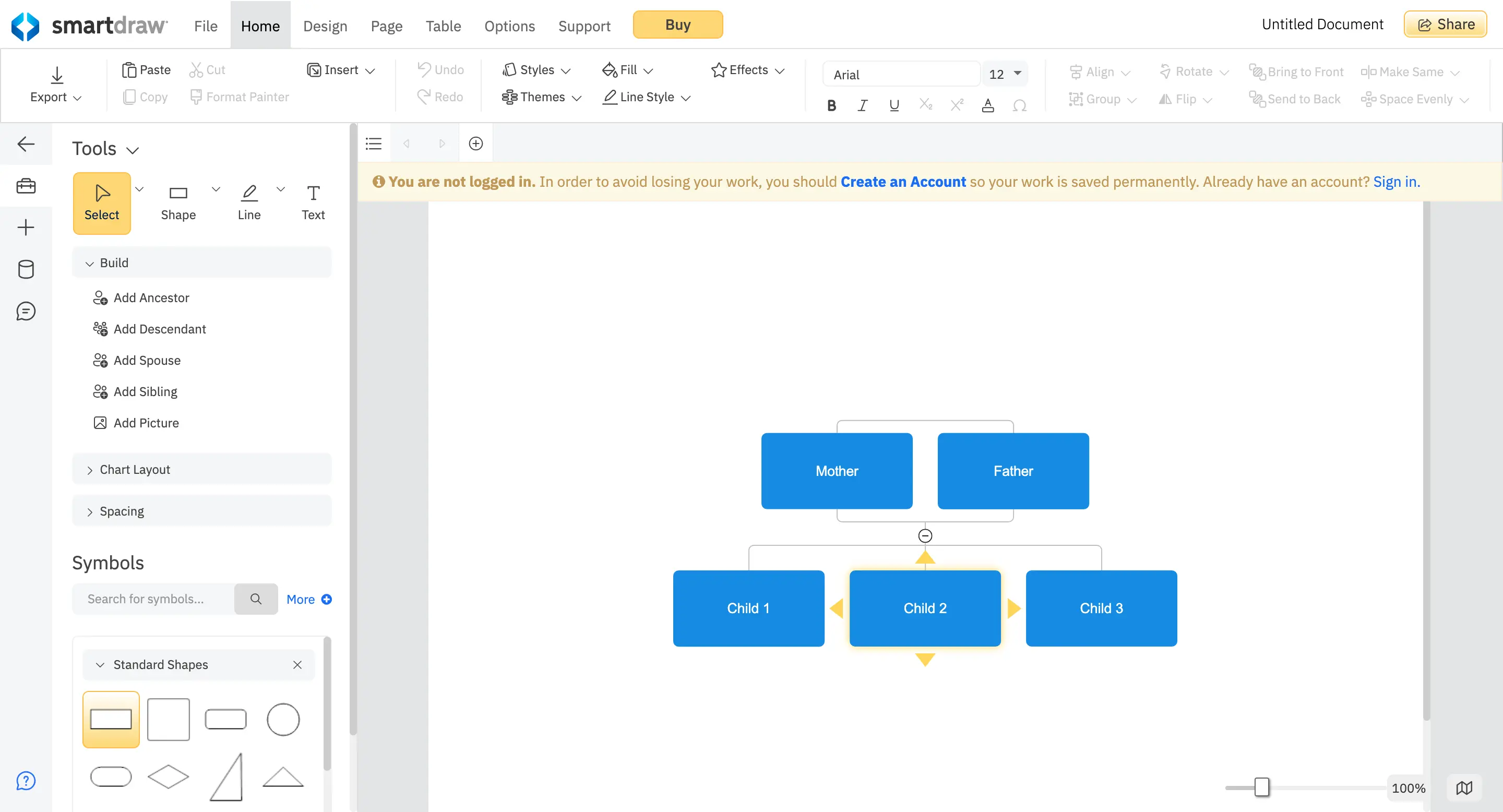
5. SmartDraw
SmartDraw is a diagramming software that allows users to create a variety of visual representations, including family trees and genograms. While not exclusively designed for genograms, its extensive template library and intuitive interface make it a viable option for mapping family relationships and histories.
Key features
Pre-made family tree templates
A starting point for quick genogram creation.
Automatic formatting
Keeps diagrams neat and organized as you edit.
Integration with Office tools
Easily add genograms to Word, PowerPoint, and Google Docs.
Cloud and desktop access
Work on diagrams from anywhere.
Pros
- Easy to use with drag-and-drop features.
- Good for general diagramming, not just genograms.
- Integrates well with Microsoft and Google apps.
Cons
- Not specifically designed for genograms, so it lacks some advanced genogram-specific features.
- Subscription-based pricing can be costly compared to other options.
Best for
SmartDraw is best for users who need a general-purpose diagramming tool that can handle genograms along with other types of diagrams. It’s useful for business professionals, educators, and students who may need to create various types of charts and diagrams.
Not ideal for: Professionals who need dedicated genogram notation, advanced relationship indicators, structured family data, or specialized genogram analysis rather than general diagramming.
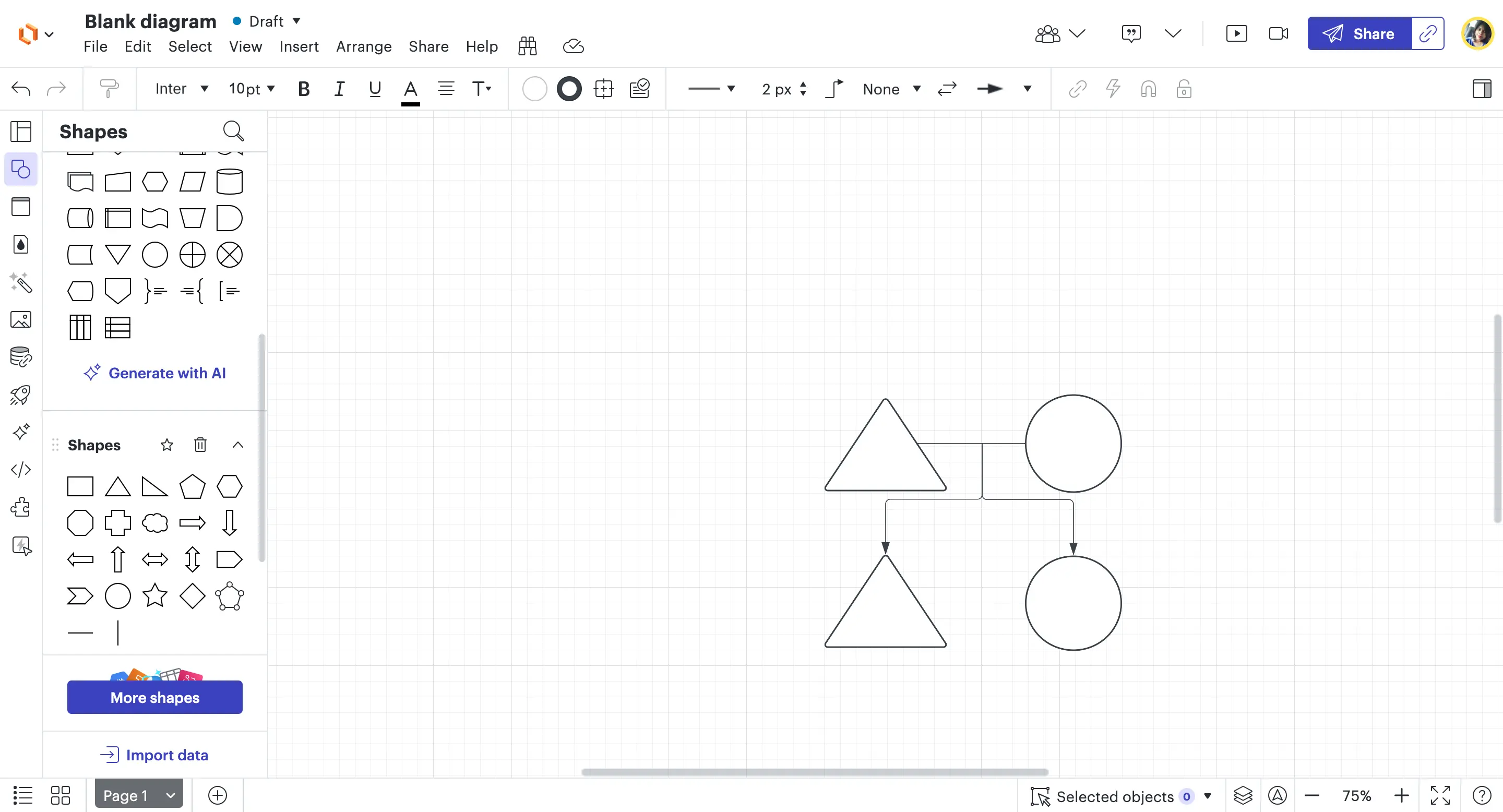
6. Lucidchart
Lucidchart is an online diagramming tool that allows users to create genograms, along with many other types of diagrams. With its drag-and-drop interface and real-time collaboration features, it makes visualizing family relationships simple. However, since it’s a general-purpose tool, it may not have advanced genogram-specific capabilities.
Key features
Collaboration tools
Multiple users can edit the same genogram in real-time.
Cloud-based access
Works on any device with an internet connection.
Integrations with Office tools
Compatible with Google Workspace, Microsoft Office, and Slack for easy sharing.
Pros and Cons
| Pros | Cons |
|---|---|
| Easy to use with a simple, drag-and-drop interface. | Not genogram-specific, so it may lack specialized features like templates and specific shapes and connectors. |
| Great for teams, thanks to real-time collaboration. | Requires an internet connection to use, which could be a drawback for some users. |
| Accessible from anywhere since it’s cloud-based. | Subscription-based pricing, with limited features in the free version. |
Best for
Lucidchart is best for teams and professionals who need a collaborative diagramming tool that supports genograms alongside other visuals. It’s a good option for those who work remotely or need to share their diagrams easily with others.
Not ideal for: Users who need purpose-built genogram symbols, relationship markers, clinical documentation features, or deeper family mapping support beyond a general diagramming tool.
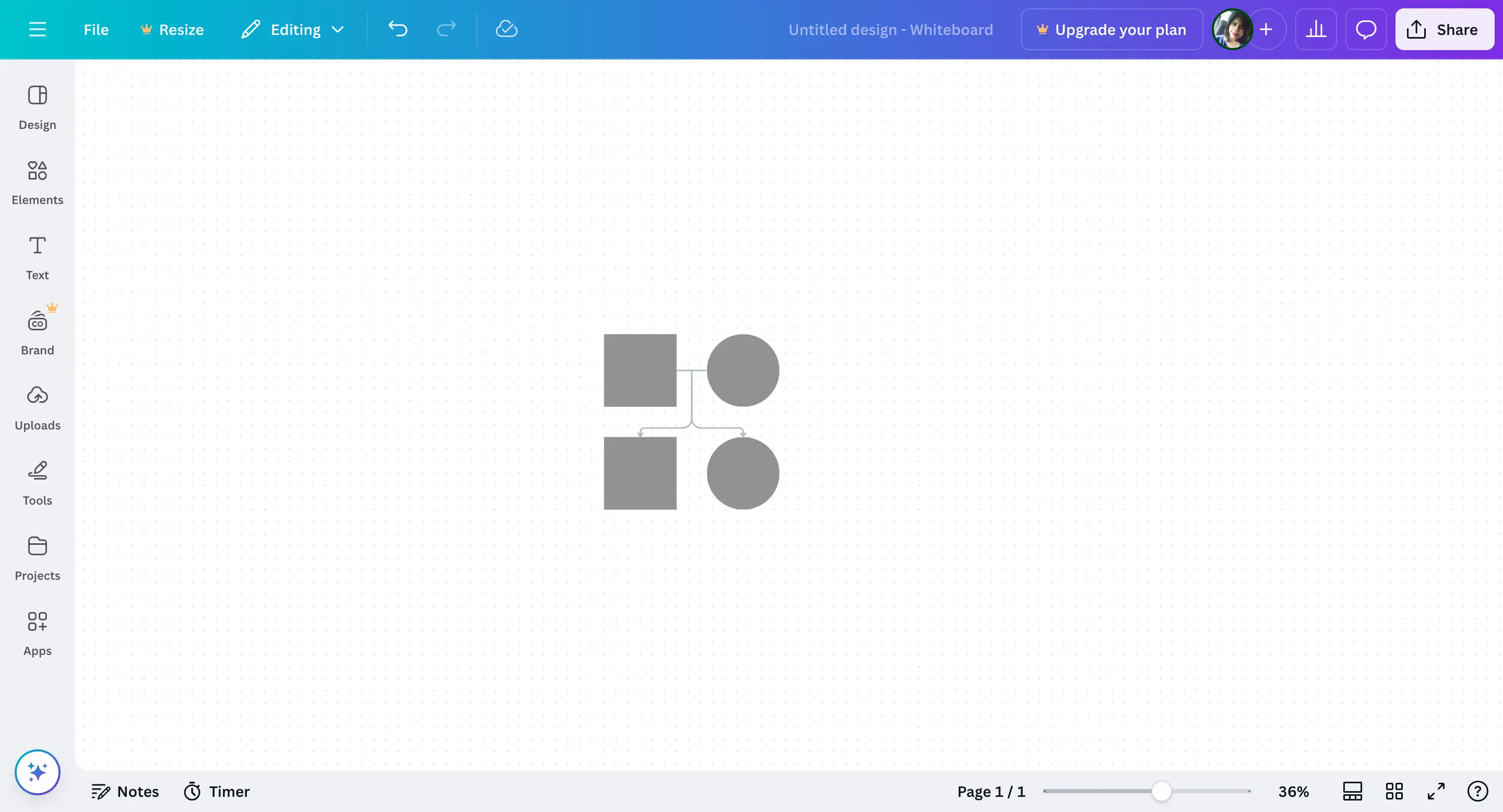
7. Canva
Canva is a versatile online design platform known for its intuitive interface and extensive library of templates, enabling users to create a wide array of visual content, including genograms. While Canva doesn’t offer a dedicated genogram feature, its customizable family tree templates can be adapted for this purpose, making it accessible for users without advanced design skills.
Key features
Family tree templates
A starting point for simple genogram designs.
Drag-and-drop editor
Easily arrange and customize elements.
Design elements
Includes icons, shapes, and text tools for customization.
Collaboration options
Share and edit with others in real time.
Pros and Cons
| Pros | Cons |
|---|---|
| Very easy to use, even for beginners. | Not genogram-specific, so lacks features like relationship indicators and medical history tracking. |
| Visually appealing templates for clean, modern designs. | Requires internet access to use, with limited offline functionality. |
| Accessible from any device with an internet connection. | Advanced design elements may require a paid subscription. |
Best for
Canva is ideal for individuals and professionals seeking an easy-to-use platform to create visually appealing genograms without the need for specialized software. It’s particularly suitable for users who value design flexibility and collaborative capabilities.
Not ideal for: Professionals who need standard genogram symbols, relationship indicators, structured case data, or clinical documentation.
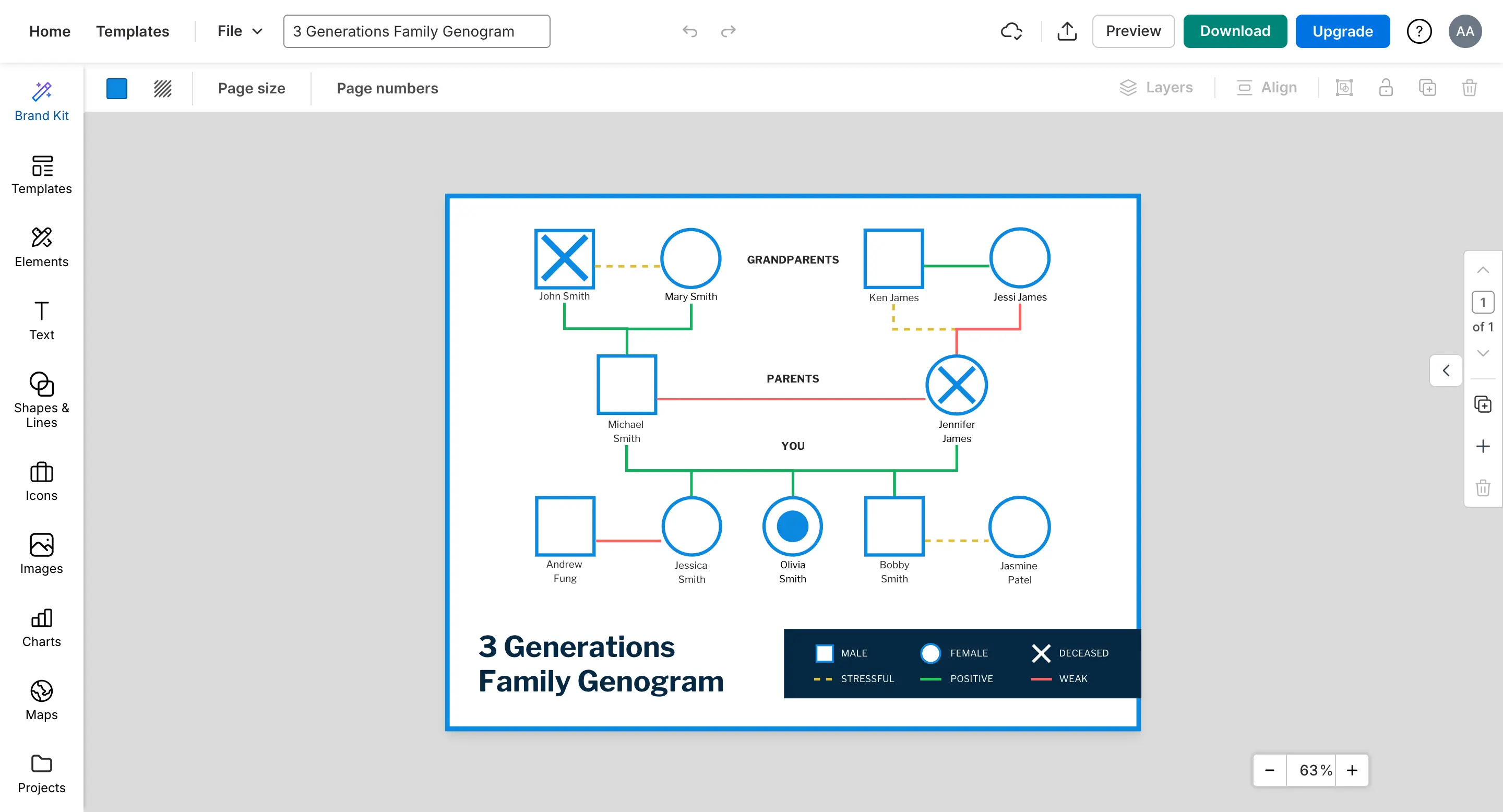
8. Venngage
Venngage is an online design platform that offers a variety of templates and tools for creating visual content, including genograms. With its user-friendly interface and customizable templates, Venngage enables users to map out family relationships, medical histories, and complex familial patterns effectively. While not exclusively a genogram-focused tool, its features support the creation of detailed and personalized family diagrams.
Key features
Customizable templates
Start with pre-made genogram templates and adjust them to your needs.
Easy-to-use editor
Drag and drop shapes, icons, and text to build your genogram.
Real-time collaboration
Work together with others on the same genogram.
Export options
Download your genogram in various formats like PNG, PDF, or PowerPoint.
Pros
- User-friendly, even for beginners.
- Collaborative features for group projects.
- Wide selection of templates to choose from.
Cons
- Not specifically built for genograms, so lacks advanced family mapping features.
- The free version is limited, with some features behind a paywall.
Best for
Venngage is best for users who need a simple, customizable tool to create basic genograms. It’s a great option for students, educators, or anyone looking for an easy way to create family diagrams, but not ideal for those needing advanced genogram features.
Not ideal for: Users who need advanced genogram notation, structured family or case data, detailed relationship mapping, or professional documentation beyond simple visual family diagrams.
9. Visual Paradigm
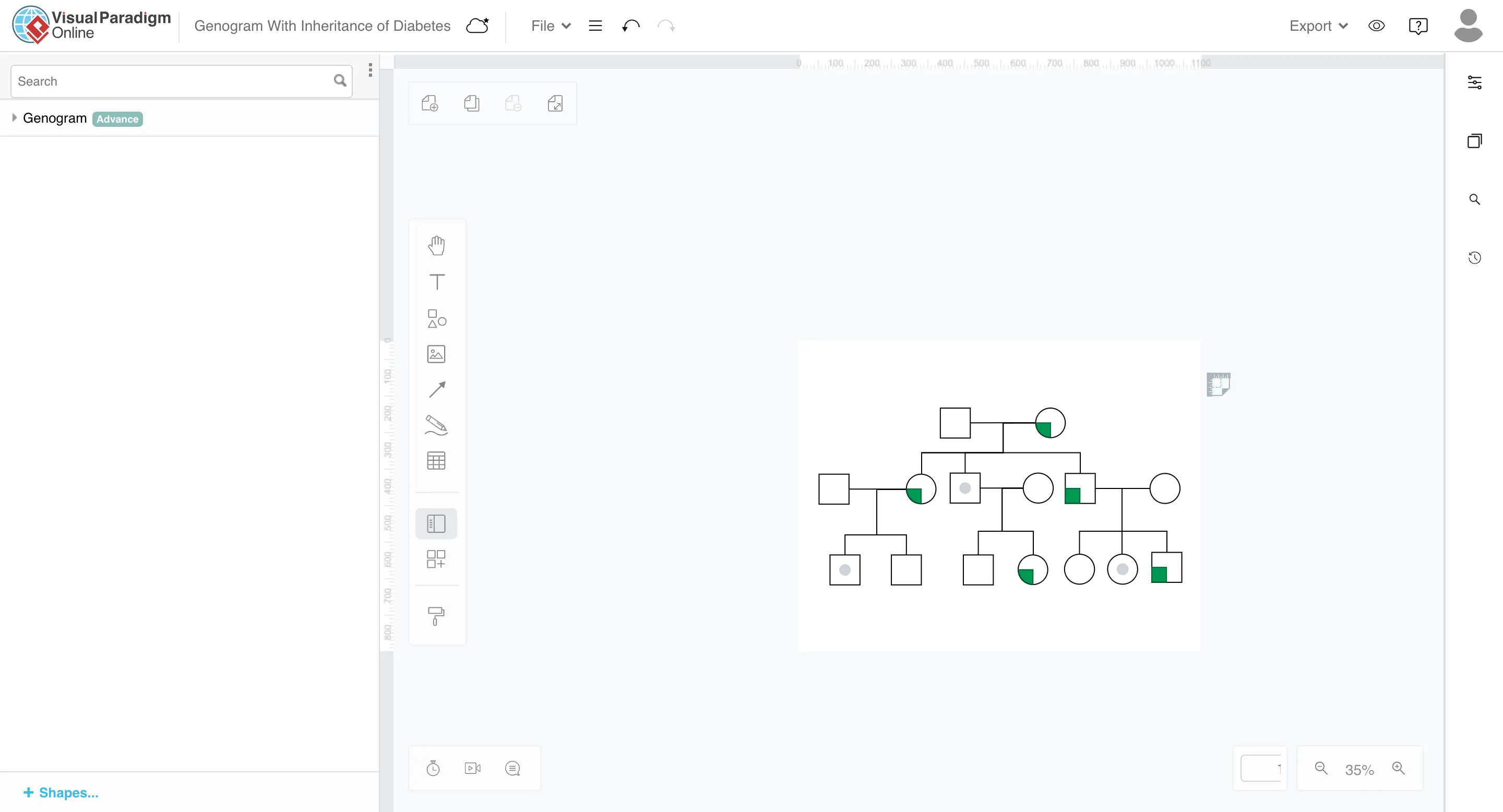
Visual Paradigm is a diagramming tool that allows users to create genograms, along with other types of diagrams. It provides customizable templates and a simple drag-and-drop interface, making it easy to map out family structures and relationships. While it’s not a tool solely focused on genograms, it offers plenty of features for users to create detailed family diagrams.
Key features
Genogram templates
Pre-designed templates make starting your genogram quick and easy.
Customization
Easily modify shapes, symbols, and lines to represent family relationships.
Collaboration
Multiple users can work on the same diagram at once.
Export options
Save and share your genogram in various formats, such as PDF and PNG.
Pros
- Flexible customization options for creating personalized genograms.
- Collaboration features that are great for group projects.
- Cloud-based access for working on the go.
Cons
- May take some time to get used to due to its comprehensive features.
- Requires an internet connection to work, as it’s cloud-based.
Best for
Visual Paradigm is best for users who need a versatile tool to create detailed genograms and other types of diagrams. It’s ideal for professionals like healthcare workers, students, or anyone needing to visualize family structures in a clear and flexible way.
Not ideal for: Beginners who want a very simple genogram-only tool, or professionals who need a more focused workflow for clinical, social work, or family documentation.
10. Genogram Analytics
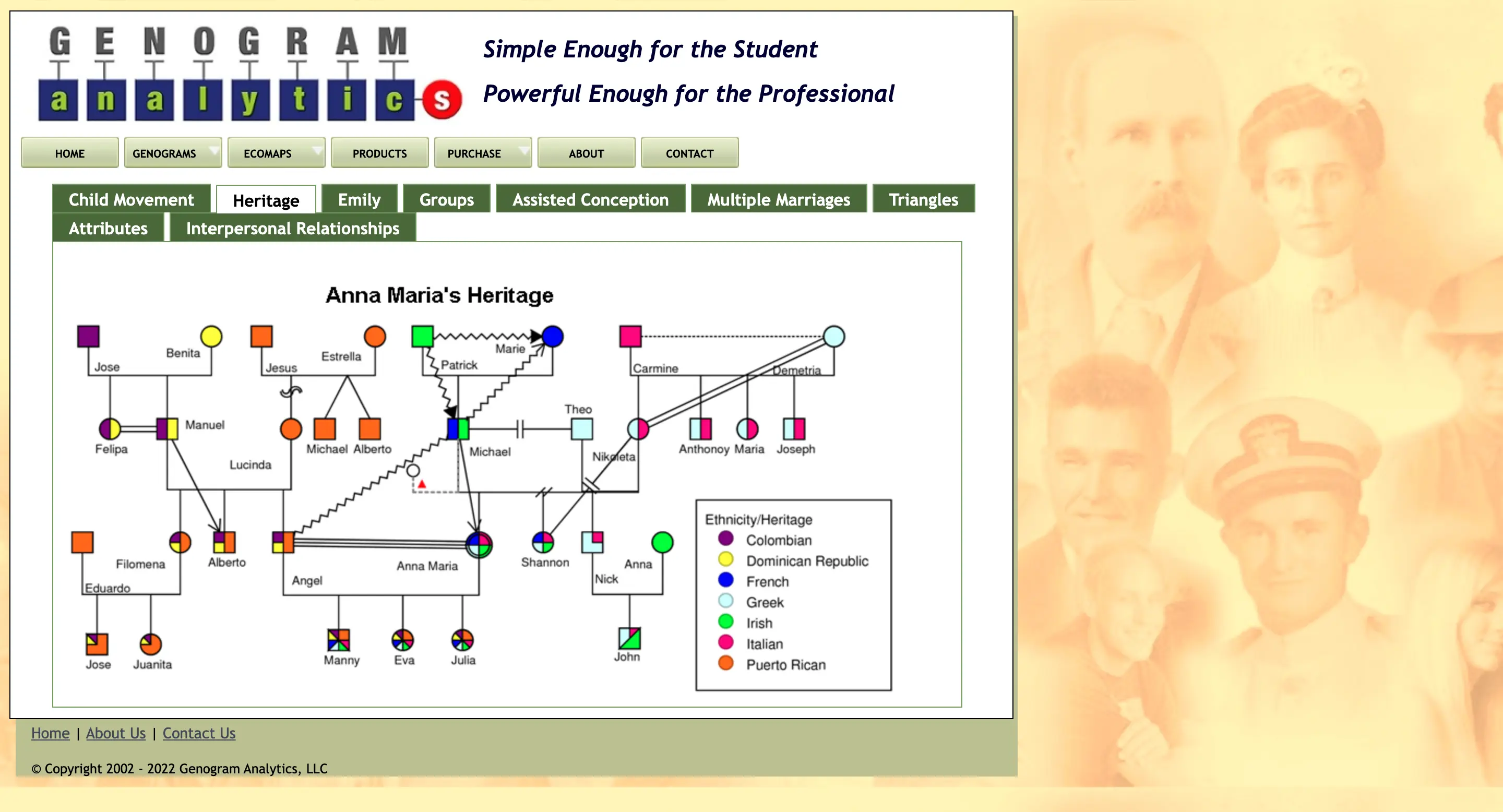
Genogram Analytics is a software application designed to assist professionals - such as therapists, social workers, and researchers - in creating detailed genograms and ecomaps. These visual tools help in understanding family dynamics and individual relationships within a family system.
Key features
User-friendly interface
Simplifies the process of creating complex genograms.
Customizable data tracking
Track attributes like mental health, education, and occupation for each family member.
Snapshot functionality
View family dynamics at specific points in time to track changes and patterns.
Confidentiality measures
Protect sensitive data with security features to ensure privacy.
Pros and Cons
| Pros | Cons |
|---|---|
| Enhanced visualization for better understanding of family dynamics. | Learning curve due to its advanced features. |
| Comprehensive data tracking allows a more in-depth family analysis. | Only available as a desktop application. |
| Emphasis on security with robust confidentiality features. | Higher cost compared to some other genogram software options. |
Best for
Genogram Analytics is ideal for clinicians, researchers, and social workers who need a detailed tool for analyzing family relationships and histories. It’s great for those who need customization and data tracking, but the learning curve and pricing may not be suitable for casual users.
Not ideal for: Casual users, students, or families who only need a simple genogram or family map without advanced analysis, data tracking, or professional case-focused features.
11. MyHeritage
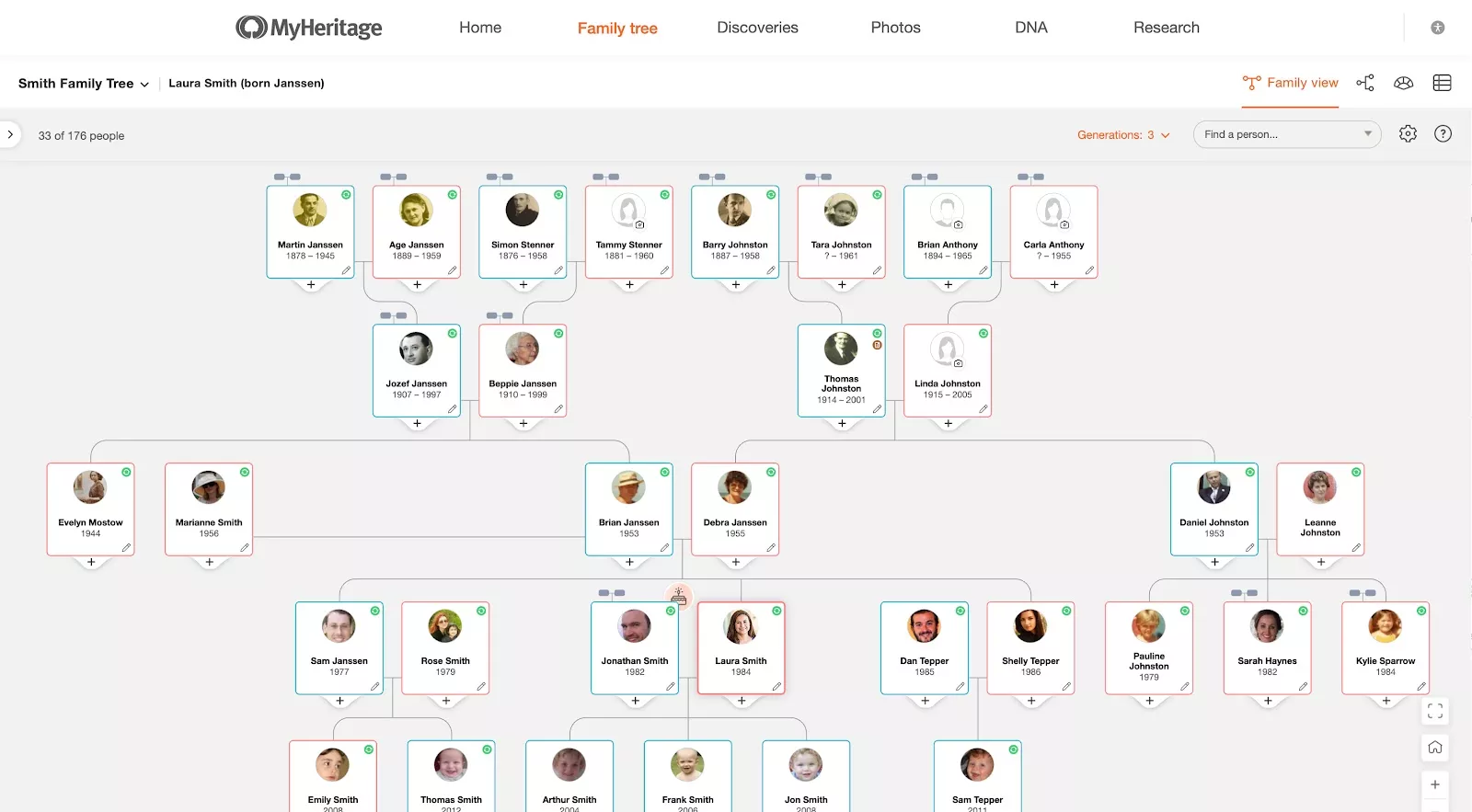
MyHeritage is a comprehensive online genealogy platform that enables users to build family trees, explore historical records, and connect with relatives worldwide. It offers a suite of tools for both genealogy enthusiasts and professionals.
Key features
Family tree builder
Easily build and expand your family tree with added photos and documents.
Historical records access
Access over 33 billion historical records, including birth, marriage, and census data.
DNA testing services
Get ethnicity estimates and connect with DNA matches.
Family statistics
Visualize family trends and statistics, like place of origin and age distributions.
Photo enhancements
Animate old photos using Deep Nostalgia (TM) for a more personal experience.
Pros
- Comprehensive resources for genealogical research.
- User-friendly interface, suitable for all levels of experience.
- Connect with a global community of researchers.
Cons
- Subscription fees for premium features.
- A learning curve due to the platform’s many tools.
Best for
MyHeritage is great for those looking to explore their family history, connect with distant relatives, or learn about their genetic background. It’s ideal for both beginners and serious genealogists looking for a one-stop platform.
Not ideal for: Users who need therapy, social work, or healthcare-focused genogram notation instead of genealogy and family history research.
Conclusion: What Is the Best Genogram Software?
The best genogram software should help you do more than draw a family tree. It should make it easy to start, use standard symbols, map complex relationships, add case or health details, collaborate, and export your work clearly.
Creately stands out as the best genogram software for professional use. It combines AI genogram creation, clinical relationship mapping, structured field packs, Health and Culture views, collaboration, and PDF/DOCX report export in one workspace.